

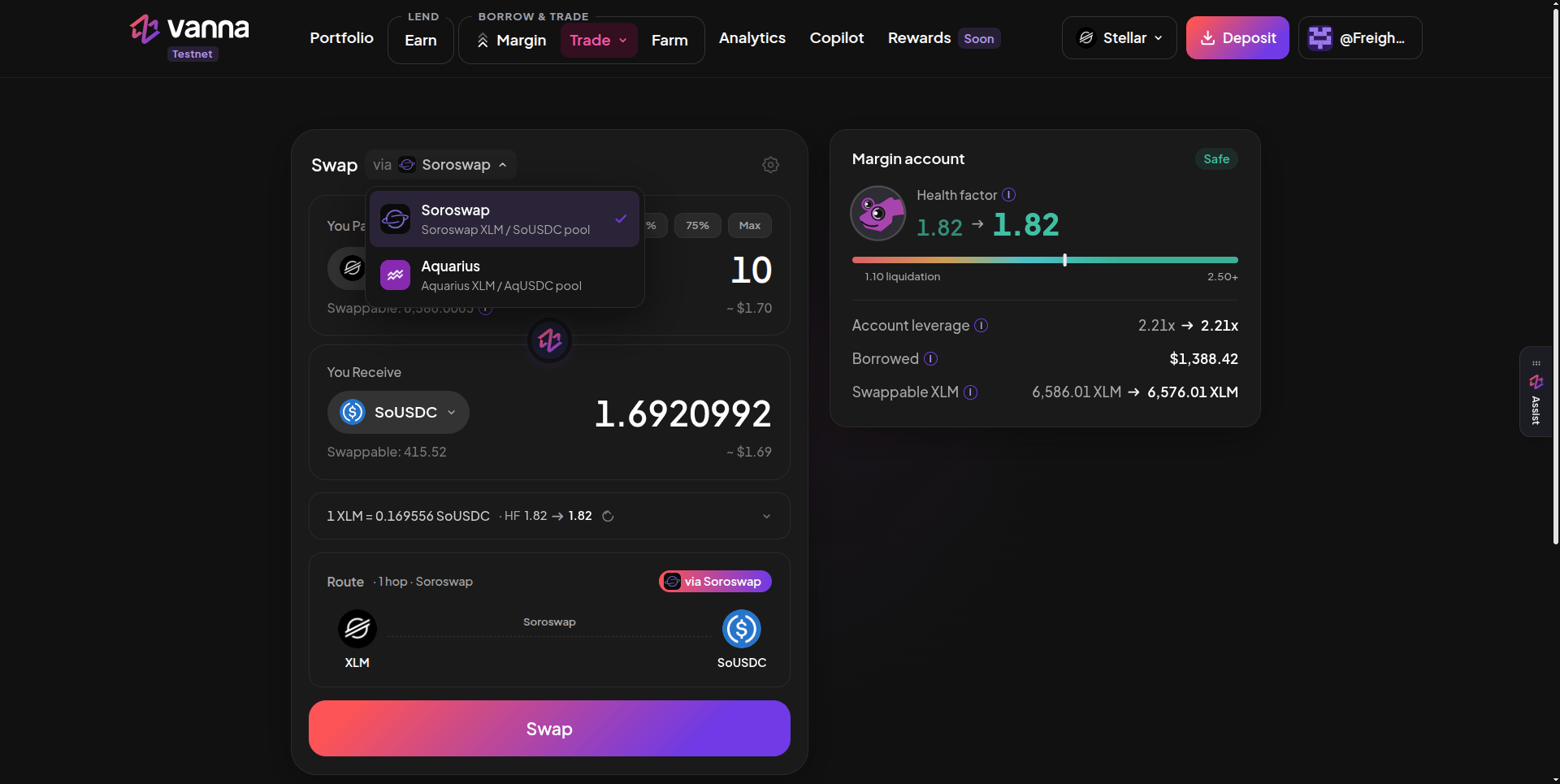
Swapping 10 XLM to SoUSDC via Soroswap: the venue picker, the quote line with the health factor before → after, the route, and the Margin account card. Click the image to zoom.
Venues
Pick the venue from the via ▾ menu next to Swap. Each venue only lists its own pair, and the token list resets when you switch.
Swap
1
Pick the venue
Open Trade → Spot and choose Soroswap or Aquarius.
2
Enter what you pay
Choose the token and amount under You Pay, or use the % chips and Max. Swappable is what the margin account holds of that token.
3
Check the quote
The quote line shows the rate and HF before → after. Expand it for the minimum received and slippage. The Route card shows the hops and venue.
4
Check the Margin account card
It shows health factor, account leverage, borrowed, and swappable balance, each before → after this swap.
5
Swap
Click Swap and approve in your wallet.
Safety checks
- Health-factor floor: if a swap would lower your health factor below 1.15, the button turns into “Health factor would fall below 1.15” and the swap is blocked. Between 1.15 and 1.25 it shows an amber warning.
- Slippage: Auto is 0.5%. The settings gear lets you pick 0.1%, 0.5% or 1.0%, or a custom value; above 3% the app warns you.
- Quotes move. Prices can change between quote and execution; the minimum received protects you.
You need a margin account with tokens in it to swap. Fund it with Deposit Collateral or Borrow.