

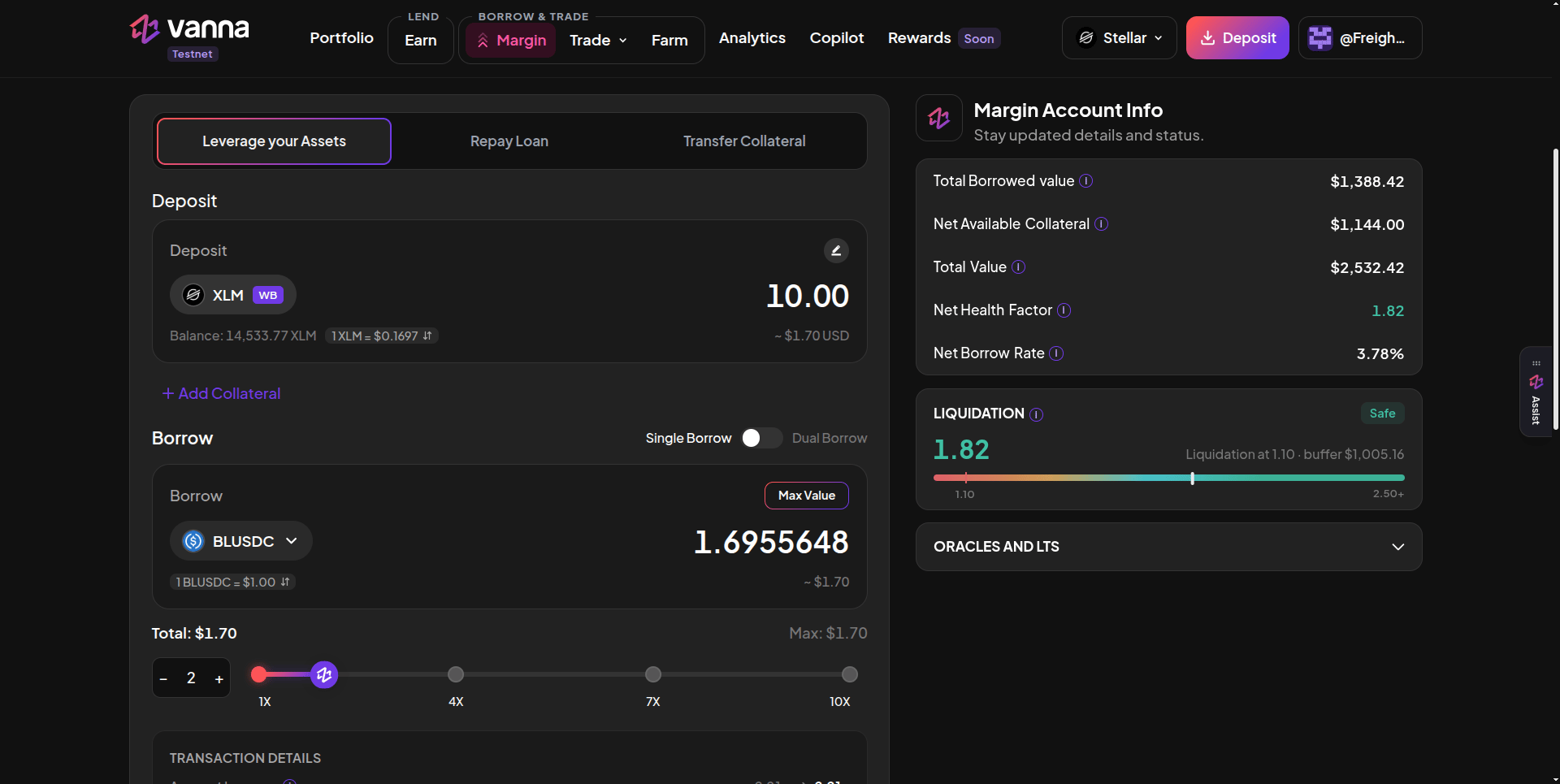
The Margin page: the Leverage your Assets tab on the left, Margin Account Info and the Liquidation card on the right. Click the image to zoom.
The three tabs
Leverage your Assets
Deposit collateral and borrow in one go, with Single or Dual Borrow and a 1x to 10x slider.
Repay Loan
Pay back a loan from the margin account’s own balance.
Transfer Collateral
Move tokens between your wallet and the margin account.
The right column
Positions
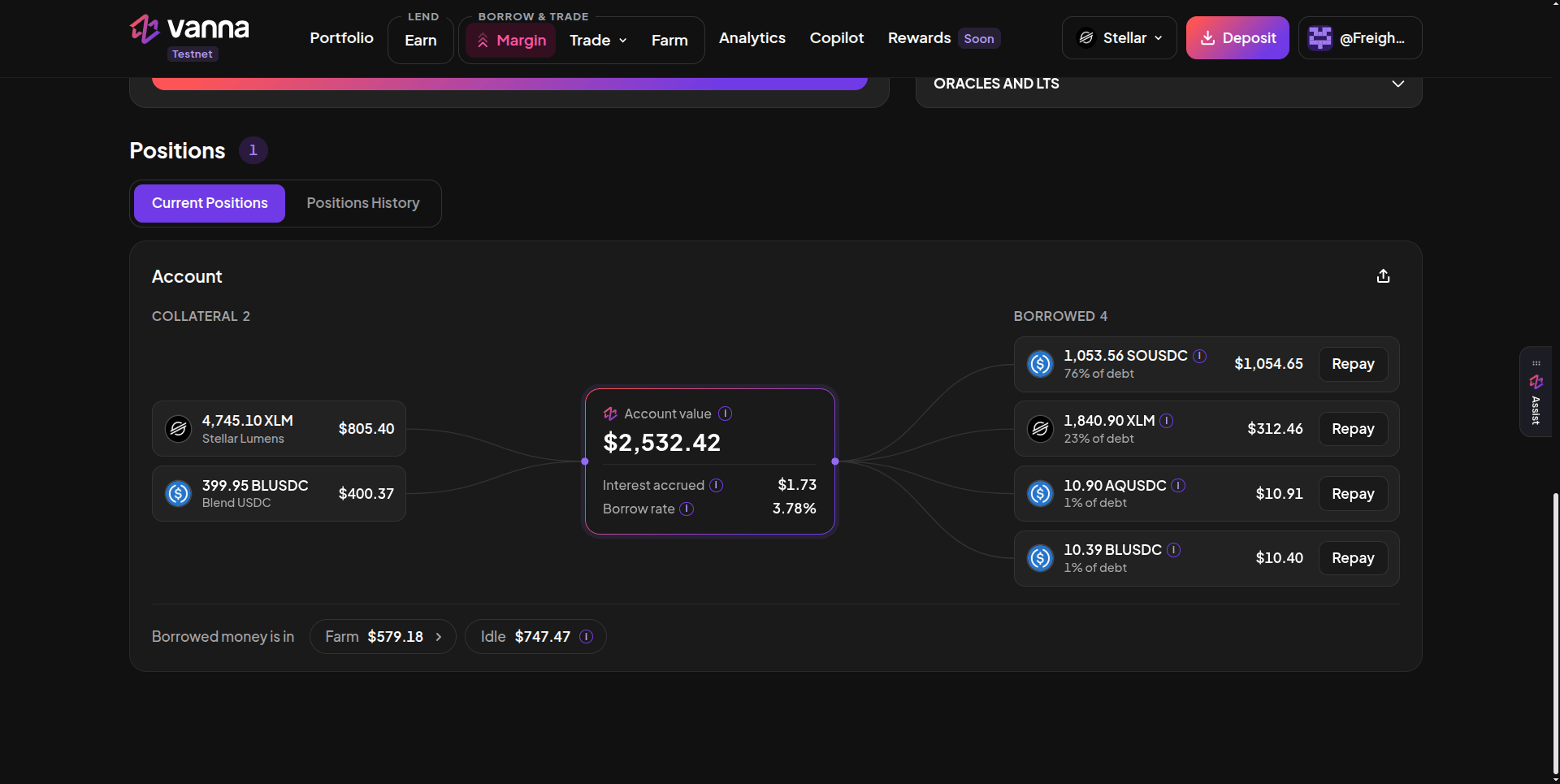
Current Positions: collateral on the left, loans on the right with Repay, and where the borrowed money is now. Click the image to zoom.
- Collateral: what you deposited (borrowed tokens sitting in the account aren’t counted twice).
- Account value: total holdings, with Interest accrued and the Borrow rate.
- Borrowed: each loan, its share of total debt and a Repay button that opens the Repay tab on that asset.
- Borrowed money is in: where the borrowed funds sit now, Farm (deployed to Blend or LP) or Idle (in the account).
Start here
1
Open an account
2
Deposit and borrow
Deposit collateral and borrow.
3
Use the funds
Swap or farm, then watch your health factor.