

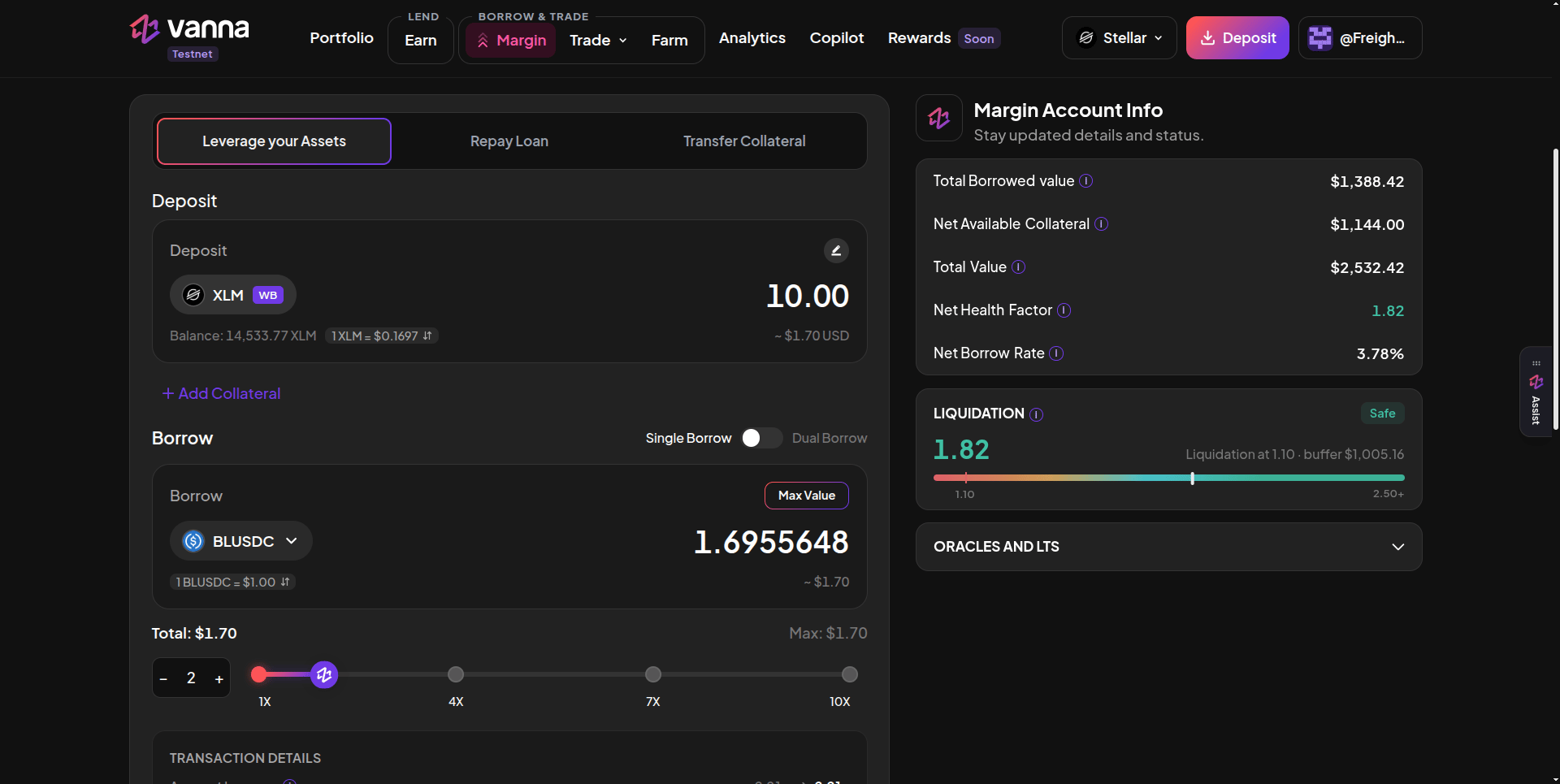
Deposit 10 XLM and borrow BLUSDC at 2x: the Single / Dual Borrow toggle, Max Value and the 1x to 10x slider. Click the image to zoom.
1
Set up the deposit
Under Deposit, pick a token and amount. WB deposits from your wallet. MB sizes the loan against collateral already in the margin account, so nothing new is deposited.
2
Choose Single or Dual Borrow
Single Borrow puts the whole loan on one asset. Dual Borrow splits it 50/50 across two different assets from two pools (you can edit each amount).
3
Pick the asset
Choose XLM, BLUSDC, AqUSDC or SoUSDC. Borrow the USDC variant your venue uses: BLUSDC for Blend, SoUSDC for Soroswap, AqUSDC for Aquarius.
4
Set the size
Drag the slider (1x to 10x), use − / +, type an amount, or click Max Value. Total and Max show the loan in USD. Max = deposit × (leverage − 1).
5
Review and sign
Transaction Details shows account leverage, what you’re depositing and borrowing, margin collateral, outstanding debt, health factor and liquidation buffer, before → after. Click Deposit & Borrow (or Borrow in MB mode) and approve.
How many signatures
If a combined deposit-and-borrow would exceed Soroban’s per-transaction budget, the app splits it into a deposit and then a borrow. If the second borrow of a Dual Borrow fails, the first one stays done. Check your positions before retrying.
Where the loan goes
Borrowed tokens land in your margin account, not your wallet, and count as collateral there. From there you can swap or farm. To take them out, use Transfer Collateral; that withdrawal is health-checked.Limits
- The Risk Engine rejects a borrow unless the account stays above 1.10 afterward. The app shows the highest leverage that allows, up to 10x.
- A pool lends only the cash it holds, and no borrow can push it past 95% utilization.
- The app warns you when the health factor after borrowing would sit between 1.10 and 1.25.