

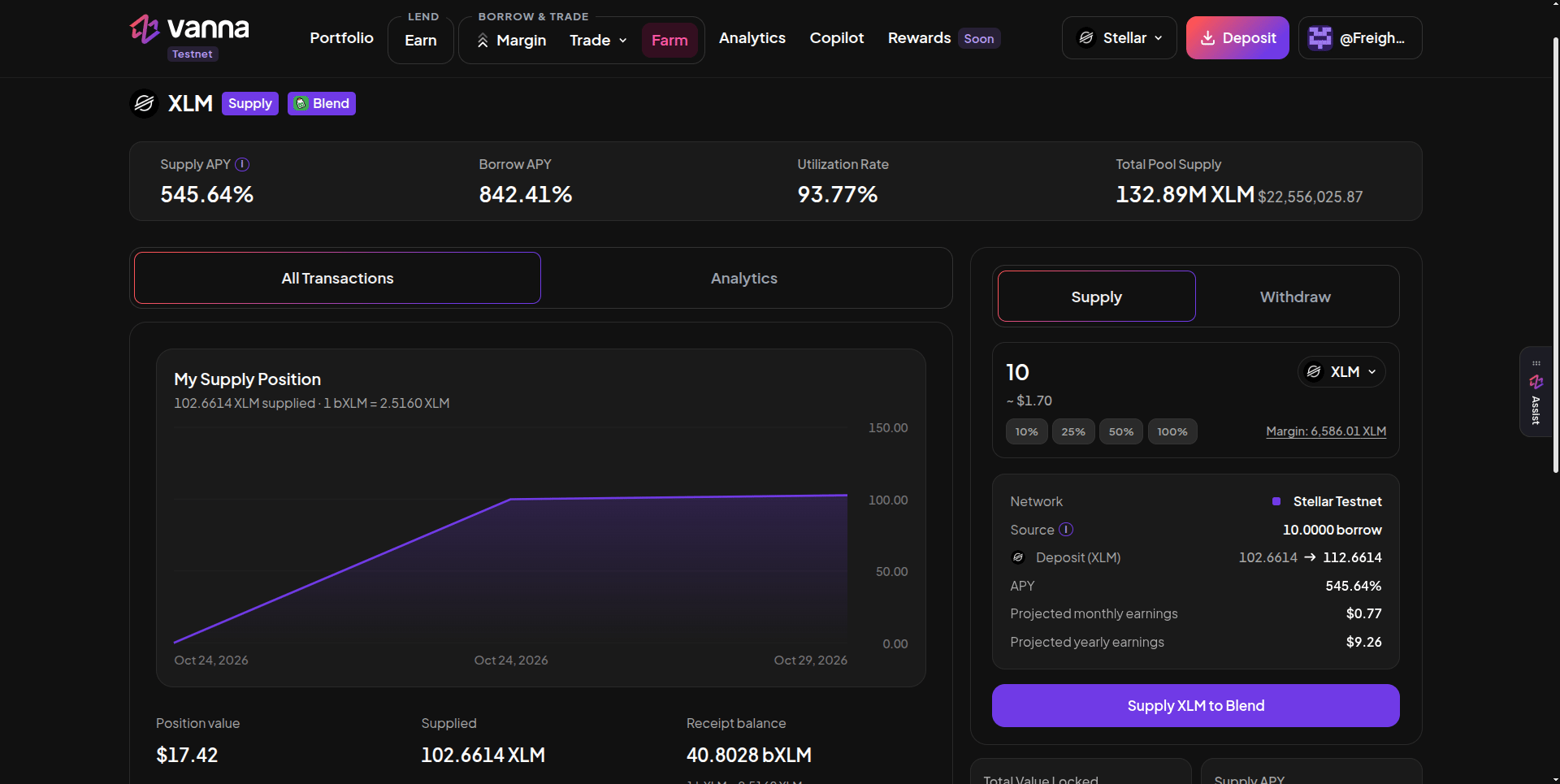
The Blend XLM pool page: your supply position on the left, the Supply form on the right with the source and projected earnings. Click the image to zoom.
Supply
1
Open the pool
On Farm → Lending/Single Assets, click XLM or BLUSDC.
2
Enter an amount
On the Supply tab, type an amount or use the % chips. Margin shows what your margin account holds.
3
Check the summary
Source shows how much comes from borrowed funds and how much from your own collateral (borrowed funds are used first). You also see your deposit before → after, the APY and projected earnings.
4
Sign
Click Supply XLM to Blend (or BLUSDC) and approve.
Withdraw
On the Withdraw tab, enter the amount in b-tokens (what Blend burns). The app converts it to the underlying at the live b-rate and shows what you’ll get. A 100% withdrawal re-reads your balance right before sending so nothing is left behind. Click Withdraw … to Margin Account. Withdrawn tokens go back to your margin account, not your wallet. Repaying a loan or transferring to your wallet is a separate step.Good to know
- b-tokens grow in value. 1 bXLM is worth more than 1 XLM and keeps rising as Blend borrowers pay interest, so your receipt count is smaller than the amount supplied.
- Blend’s rates are Blend’s. On testnet they can be extreme. A high supply APY doesn’t guarantee a positive spread after your Vanna borrow rate.
- Exits can be limited by Blend’s own liquidity.