

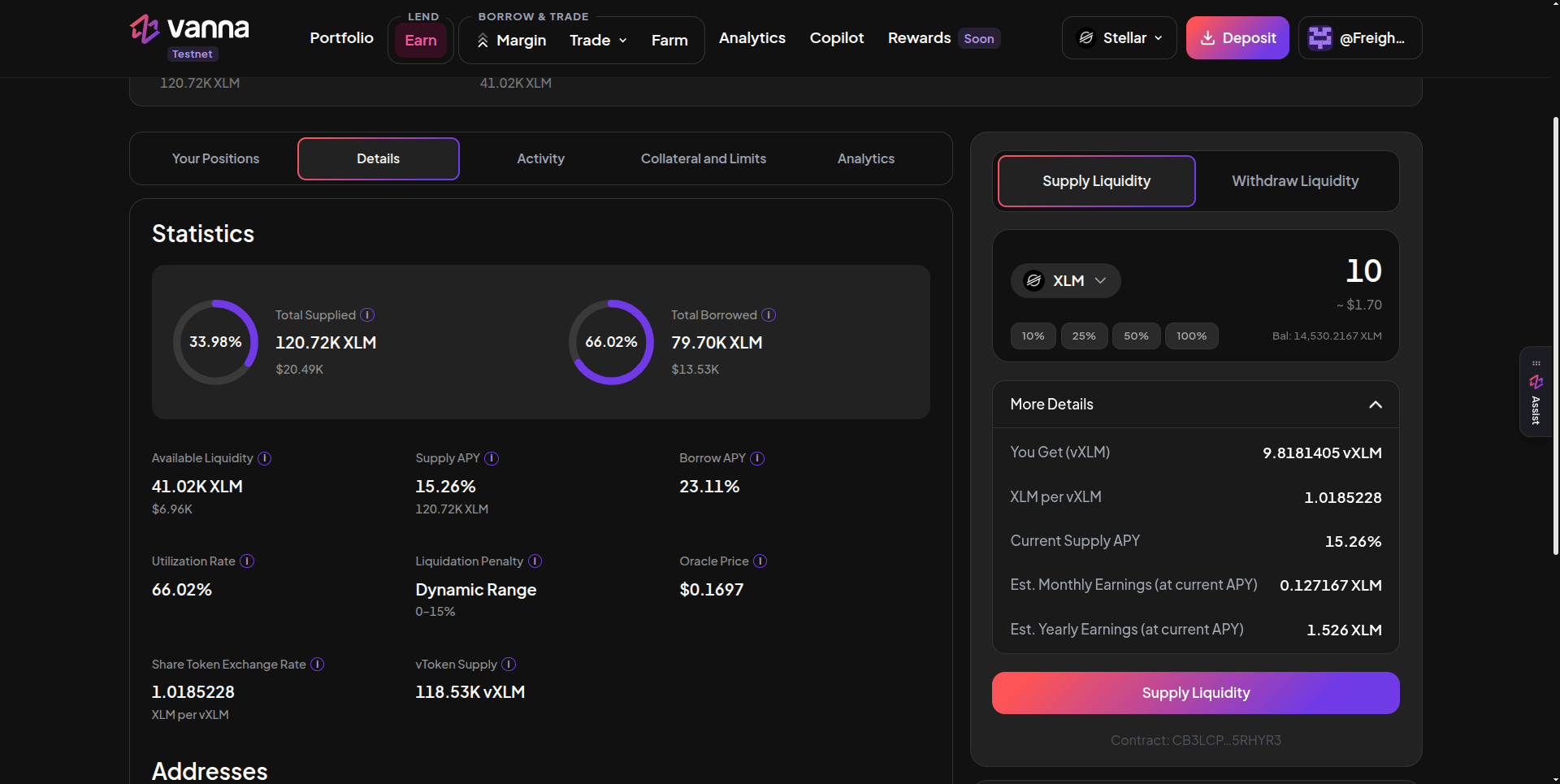
An XLM pool page: Details tab on the left, the Supply Liquidity form on the right with the vXLM you'll receive and estimated earnings. Click the image to zoom.
1
Open the pool
Go to Earn and click XLM, BLUSDC, AqUSDC or SoUSDC. Make sure your wallet holds that exact token.
2
Enter an amount
Under Supply Liquidity, pick the asset, type an amount or use 10% / 25% / 50% / 100%. Your wallet balance is shown under the field.
3
Check More Details
Expand More Details to see You Get (vTokens), the exchange rate (for example XLM per vXLM), the current Supply APY and estimated monthly and yearly earnings at that APY.
4
Sign
Click Supply Liquidity and approve in your wallet. Wait for the confirmation.
5
Check your position
Your vTokens appear on the Your Positions tab and in Portfolio → Lender.
Good to know
- You get fewer vTokens than tokens supplied. Each vToken is already worth more than one unit of the underlying (here 1.0185 XLM per vXLM), so 10 XLM buys about 9.82 vXLM. Their value keeps growing.
- 100% of XLM is safe. The form keeps back your wallet’s minimum XLM reserve plus a fee buffer, so your account can’t get stuck.
- APY isn’t fixed. The estimate uses today’s Supply APY, which moves with utilization.
- vTokens aren’t collateral. They stay in your wallet and don’t back a margin account.