

Look up an account
Paste a wallet (starts with G) or margin account (starts with C) address into Look up a wallet. The account page shows its health, a what-if slider on its own balances, how it ranks, what it holds and owes, and its recent on-chain events. An account outside the latest scan is read live from the chain.Distributions
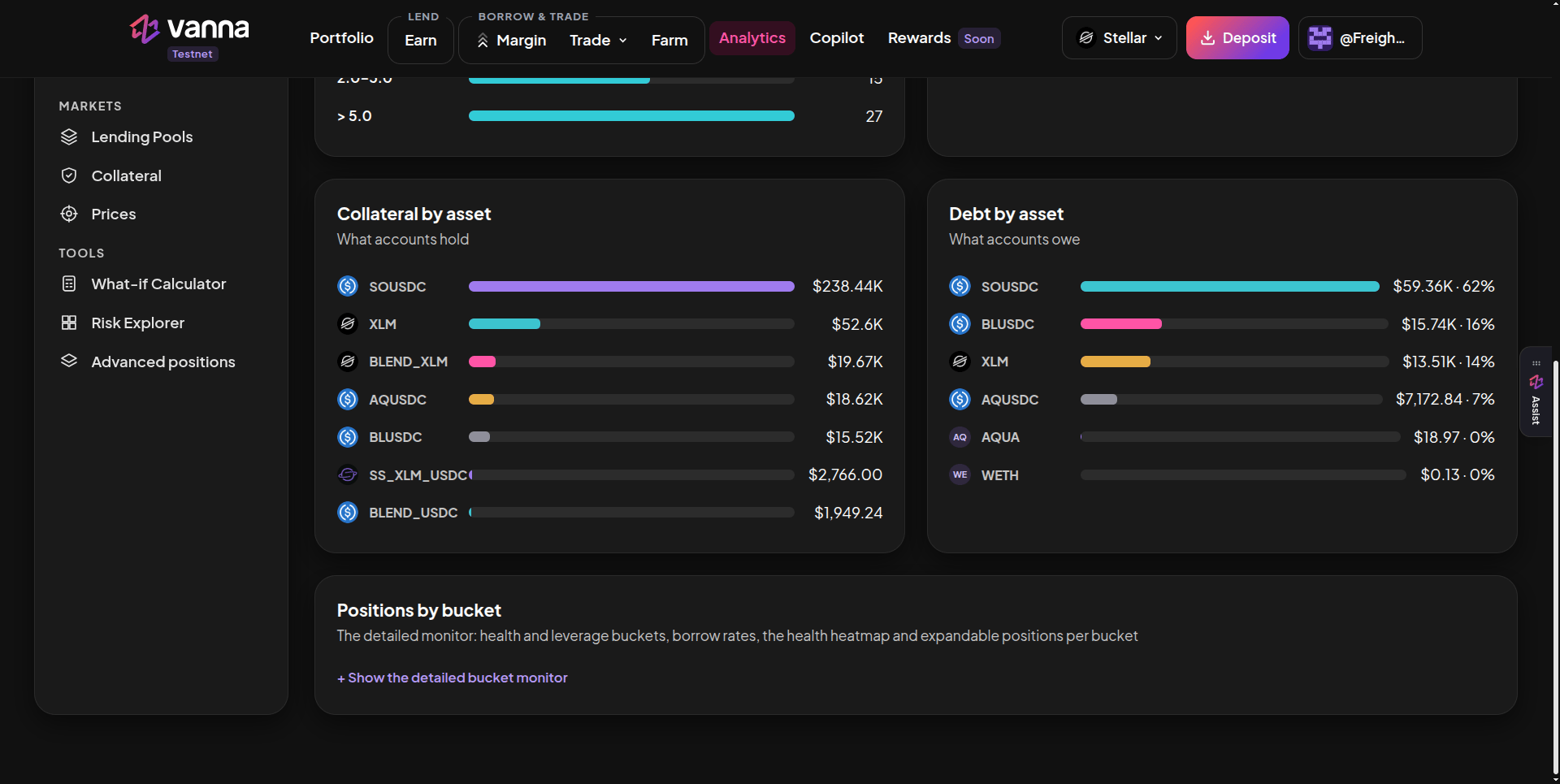
Collateral by asset and Debt by asset, then the Positions by bucket monitor. Click the image to zoom.
Good to know
- A wallet (G…) and its margin account (C…) are different addresses. Debt belongs to the margin account.
- An account with no debt shows No debt instead of a health factor.
- Health bands and heatmap colours are display choices. The only contract threshold is 1.10.
- Click Refresh at the top before acting on an account close to the line.