

This guide describes Stellar testnet at test.vanna.finance. Get test tokens from Deposit → Test funds in the app header, pick the exact USDC variant (BLUSDC, AqUSDC or SoUSDC) the pool or venue needs, and keep some XLM for fees and reserves.
Three steps to start
1
Install a wallet and switch it to Testnet
Install Freighter (OneKey also works) and set its network to Testnet. See Connect Your Wallet.
2
Connect
Open test.vanna.finance, enter your access code if asked, choose Stellar in the chain switcher, then click the connect button at the top right and approve the connection in your wallet.
3
Mint test tokens
Click Deposit in the header. Under Test funds, press Mint all, or Mint one token at a time: XLM (Friendbot), BLUSDC (Blend faucet), AqUSDC (Aquarius faucet) and SoUSDC (Soroswap faucet).
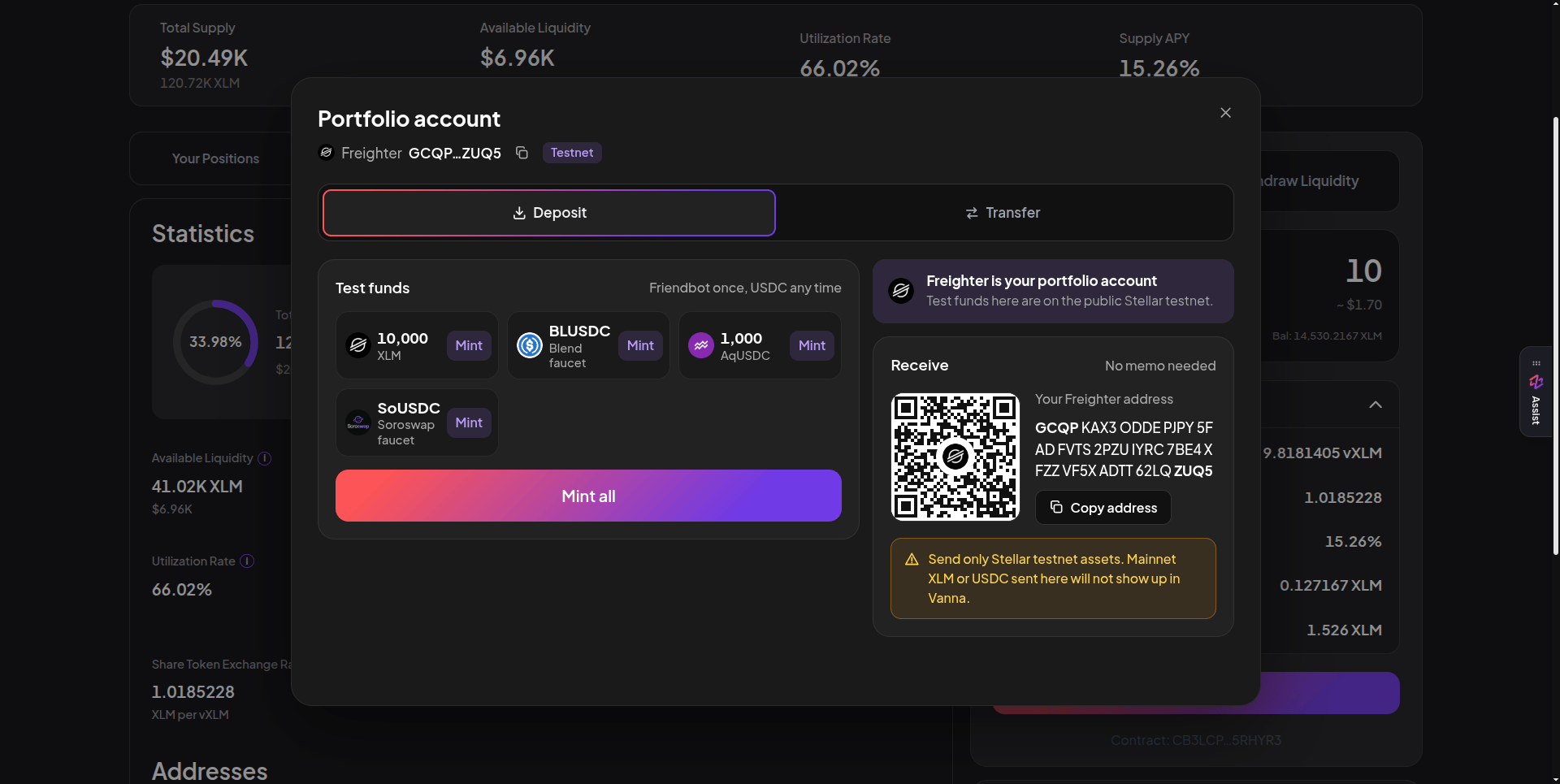
The Portfolio account modal: one-click test funds on the left, your receive address and QR code on the right. Click the image to zoom.
The app at a glance
The header groups the pages the way money flows:
The Deposit button and your wallet name sit at the top right. A small Assist tab on the right edge of every page opens a guide that explains what you’re looking at and can hand you over to Copilot.
Supported assets
Blend supply receipts and Soroswap / Aquarius LP positions held in your margin account also count as collateral.
Continue with Connect Your Wallet.