

Choose the funding account
Use the available wallet or margin route and verify where the input tokens are held. Wallet swaps use wallet-held assets and may require issued-token trustlines. Margin swaps use SmartAccount-held assets through the protocol’s approved execution path. Soroswap USDC is SoUSDC; Aquarius USDC is AqUSDC. A generic USDC label inside a protocol-specific form does not mean Blend USDC is accepted.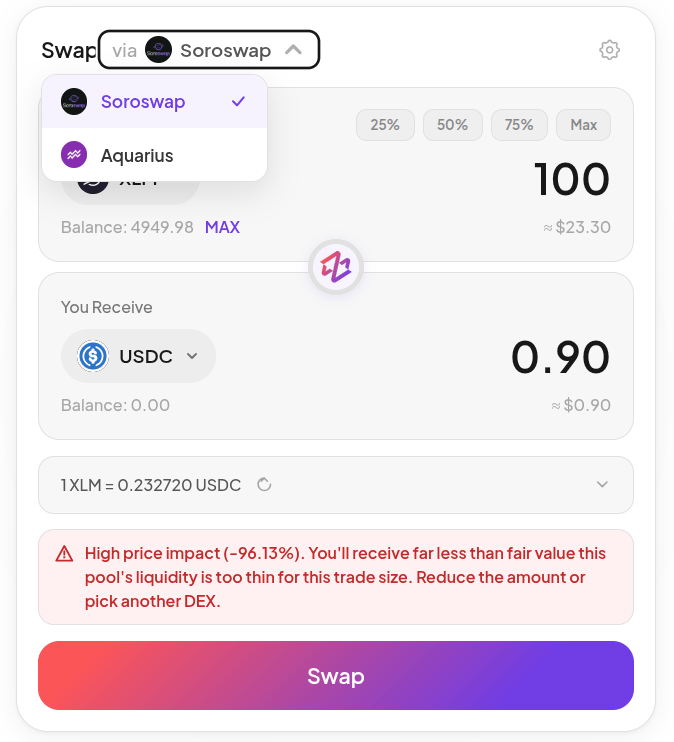
Earlier swap selector and price-impact warning. The pictured trade is not a suggested amount or a current quote. Click the image to zoom.
Steps
- Open Spot and select the protocol, input/output assets, and funding account.
- Enter the input quantity and obtain a current quote.
- Review the output estimate, minimum output/slippage, balances, and destination.
- Confirm/sign and wait for transaction confirmation.
- Check actual input/output balances and, for margin swaps, account health.