

Supported connection methods
The current build supports Freighter and, when configured, Privy email/Google login with an embedded Stellar wallet. The presence of other Stellar wallets does not mean they have a connector in this application.Connect
- Open the Stellar testnet application and choose Connect Wallet.
- Select Freighter and authorize access, or select the enabled email/Google option and complete login.
- Check the displayed wallet address. For Freighter, use the testnet network when signing this application’s transactions.
- Wait for the account and balance reads to complete. Existing margin accounts are rediscovered from chain.
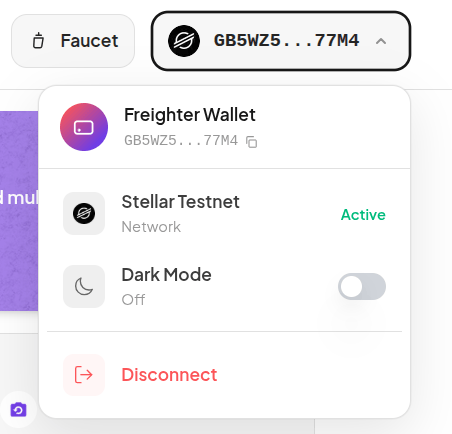
Earlier Freighter UI: check your connected address and network here. Privy uses a different connection flow. Click the image to zoom.
Faucet and balances
Open Faucet, choose the asset required by your intended market, and complete its funding or mint flow. XLM funding and issued-token mint/trustline flows can differ; do not assume each faucet action has the same number of signatures. BLUSDC is for Blend, AqUSDC for Aquarius, and SoUSDC for Soroswap. Token identity is determined by its address/issuer, not just the word USDC. Keep XLM available for network fees and reserves. Receiving classic issued assets may require a trustline.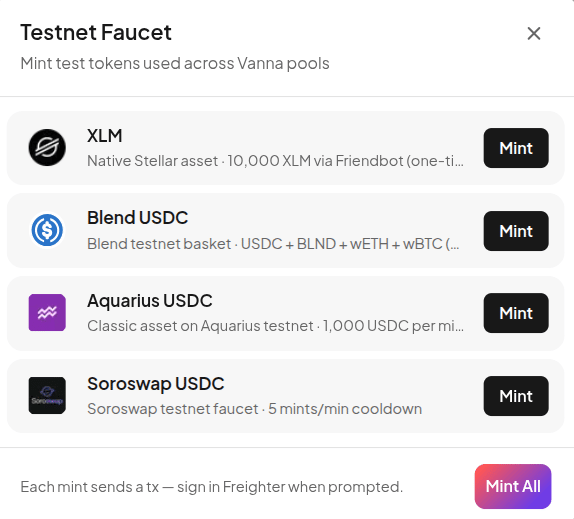
Earlier faucet layout. Funding amounts, cooldowns, and signing prompts may differ by asset and deployment. Click the image to zoom.