

What you can do
Open Account
Create your Margin Account on-chain.
Deposit Collateral
Move assets from your wallet into your Margin Account.
Borrow
Borrow assets against your deposited collateral.
Repay
Pay down your outstanding debt.
Transfer Collateral
Move assets between your wallet and Margin Account.
Health Factor
Understand how your position health is tracked.
How it works
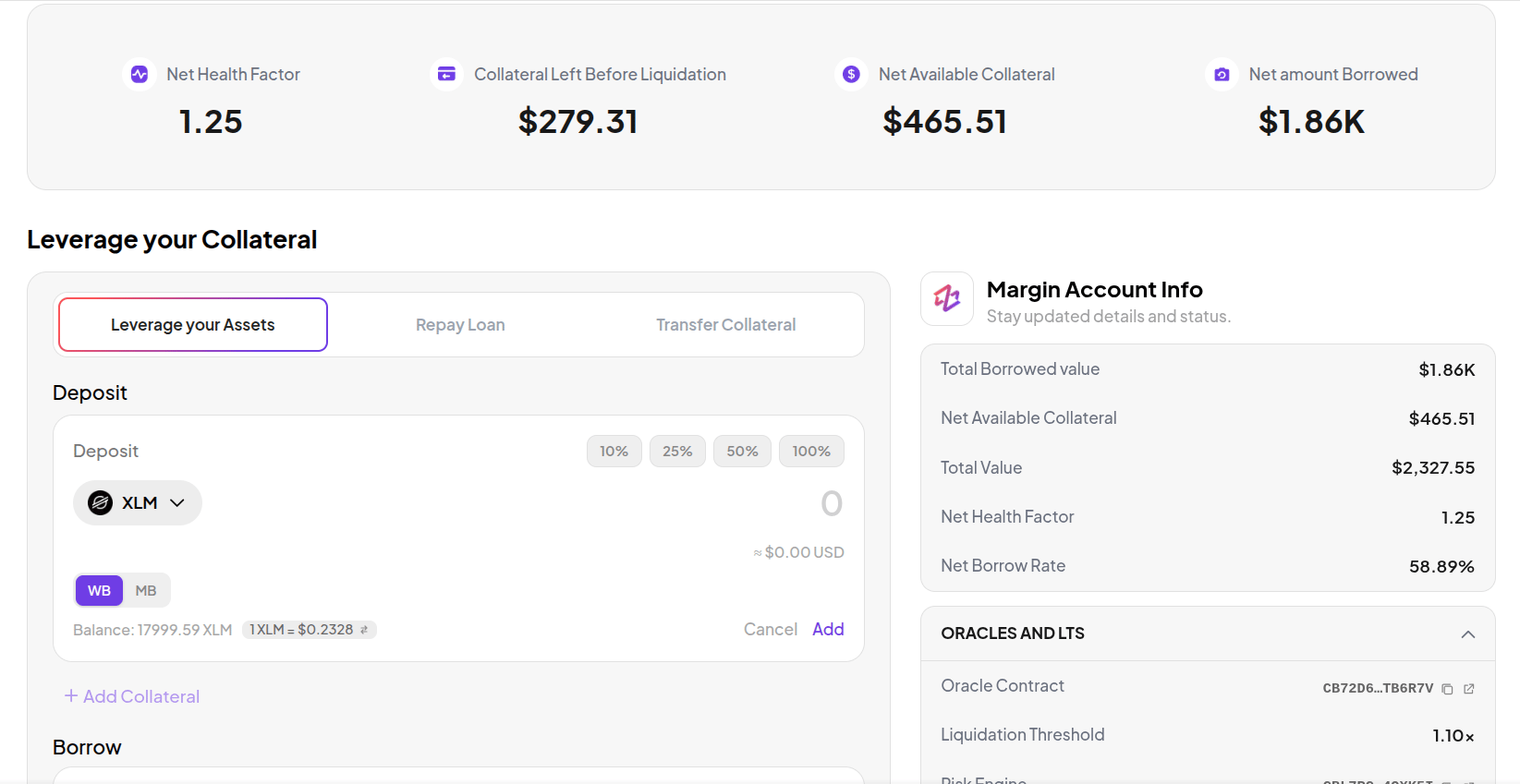
You deposit collateral (XLM or USDC) into your Margin Account and borrow assets against it. Borrowed assets stay inside your Margin Account - they cannot be sent directly to your wallet, but you can deploy them into Farm or Trade from within the account. Your Health Factor - total collateral value divided by total debt value - must stay above 1.1x at all times. If it drops to 1.1x, your account becomes eligible for liquidation. You can have one active Margin Account at a time. Closing an account and opening a new one reuses the same on-chain contract.Before you start
- Wallet connected - see Connect Wallet if you haven’t done this yet.
- Assets in your wallet - you need collateral (XLM or USDC) ready before you can borrow.
Key metrics
Once your Margin Account is active, the Margin tab shows a metrics bar with three values.| Metric | What it means |
|---|---|
| Health Factor | Total collateral value divided by total debt value. Must stay above 1.1x to avoid liquidation. |
| Net Available Collateral | Your net equity in the account - total collateral value minus what you owe. |
| Collateral Left Before Liquidation | How much your collateral value can drop before your Health Factor reaches 1.1x and the account becomes eligible for liquidation. |

