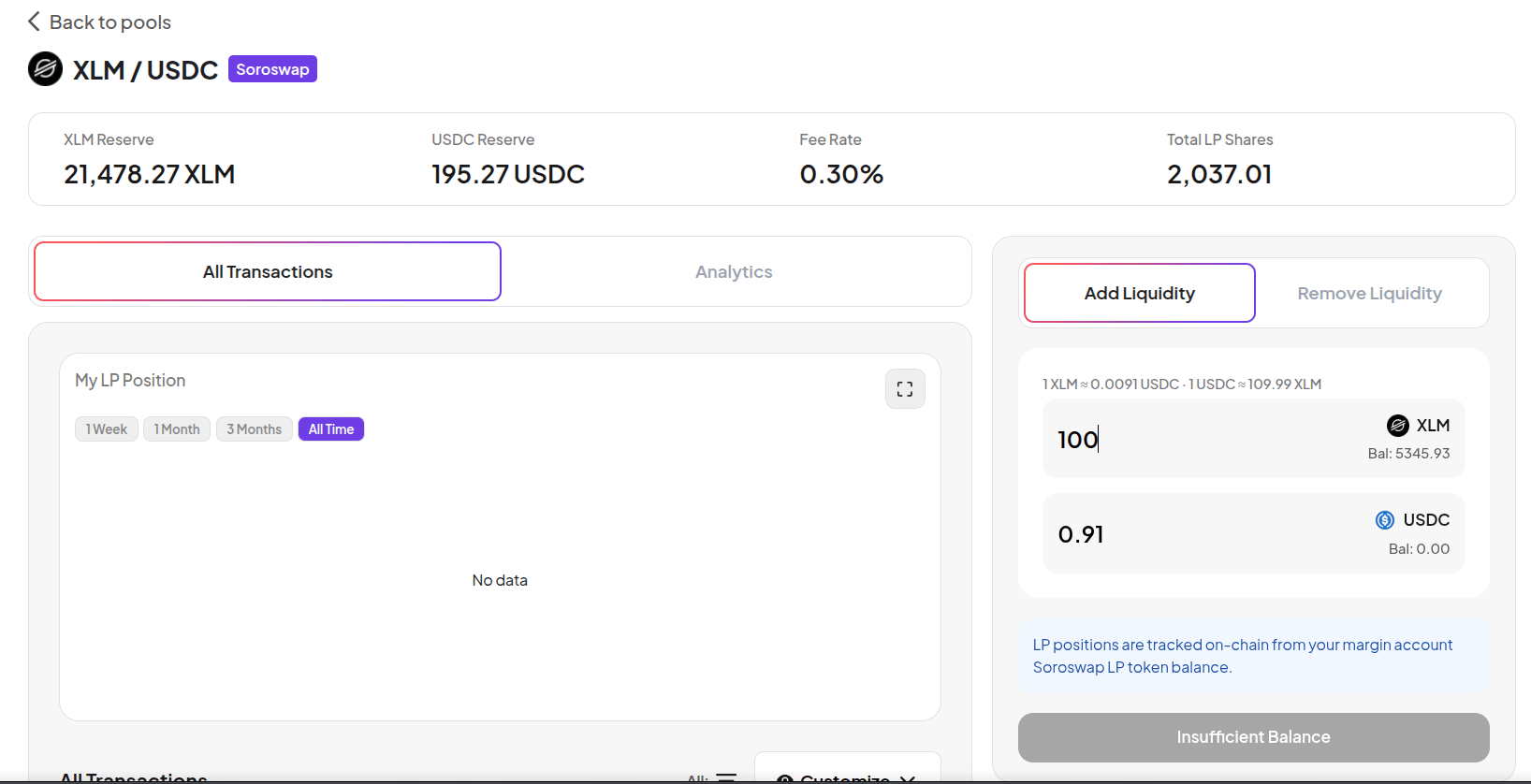
LP pools let you deploy two assets from your Margin Account into an AMM (automated market maker) and earn a share of the trading fees generated by every swap through the pool. When you add liquidity, you receive LP shares proportional to your contribution. When you remove liquidity, you receive both assets back plus any accrued trading fees.
LP pools carry impermanent loss risk. If the prices of the two assets diverge significantly, your LP position may be worth less than simply holding the assets separately. Understand impermanent loss before providing LP liquidity.

Add Liquidity

1

Go to Farm

Click Farm in the top navigation. Select the LP/Multiple Assets filter to see all available LP pools. Each pool shows the protocol (Soroswap, Aquarius), pool reserves, trading fee rate, and Pool APR.
2

Select a pool

Click on an LP pool. The pool page shows: reserves of both assets, fee rate, total LP shares, and your current LP balance.
LP pool
The right panel shows two input fields - one for each asset. Enter an amount for one asset and the other calculates automatically based on the pool’s current ratio.
3

Enter amounts

Enter the amount for the first asset. The second amount fills in automatically to match the pool ratio. Both assets must be available in your Margin Account balance.
4

Confirm

Click Add Liquidity and approve in your wallet. You receive LP shares credited to your Margin Account.

Analytics tab

The Analytics tab shows full pool statistics - reserves for each asset, fee rate, total LP shares outstanding, and your current LP balance.
LP pool analytics

Remove Liquidity

1

Go to Farm and select your pool

Open the LP pool where you have a position.
2

Switch to Remove Liquidity

Click Remove Liquidity. Enter the number of LP shares to redeem, or use the percentage buttons (25% / 50% / 75% / 100%).
3

Confirm

Click Remove Liquidity and approve in your wallet. You receive both assets back proportional to your pool share, plus accumulated trading fees.