Steps
Switch to Withdraw Liquidity
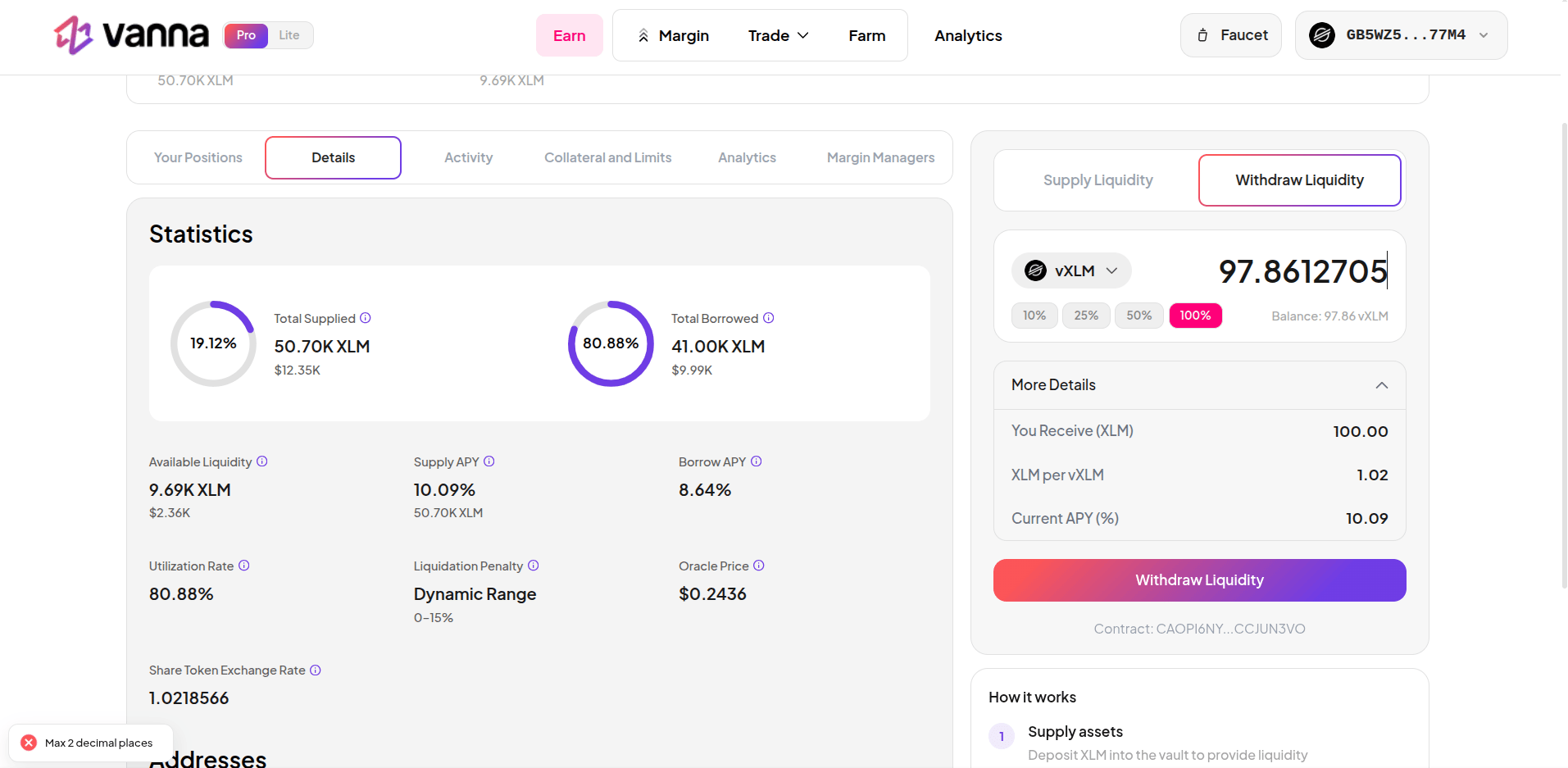
On the right panel, click Withdraw Liquidity. The panel switches to show your current vToken balance automatically.

Review the details
Click More Details to see what you will receive:
The amount shown under You Receive includes your original deposit, all interest accrued, and any liquidation penalties earned since you supplied.
| Field | What it shows |
|---|---|
| You Receive | The amount of the underlying asset you will get back |
| Asset per vAsset | Current exchange rate |
| Current APY | Your live yield rate |
Partial withdrawal
You don’t have to withdraw everything. Use the percentage buttons (10% / 25% / 50%) to redeem part of your vTokens. Your remaining vTokens continue accruing yield at the current rate.What if the pool has no available liquidity?
If pool utilization is near 100%, your withdrawal may fail temporarily - the pool does not have enough free liquidity to fulfill the redemption. Wait for traders to repay loans or for utilization to drop, then try again.Related
- vTokens - understand how the exchange rate and yield accumulation work
- Supply to Earn - deposit assets and start earning yield