Open Earn and select XLM, BLUSDC, AqUSDC, or SoUSDC. Check that the selected market matches your wallet asset.
2
Enter and review the supply
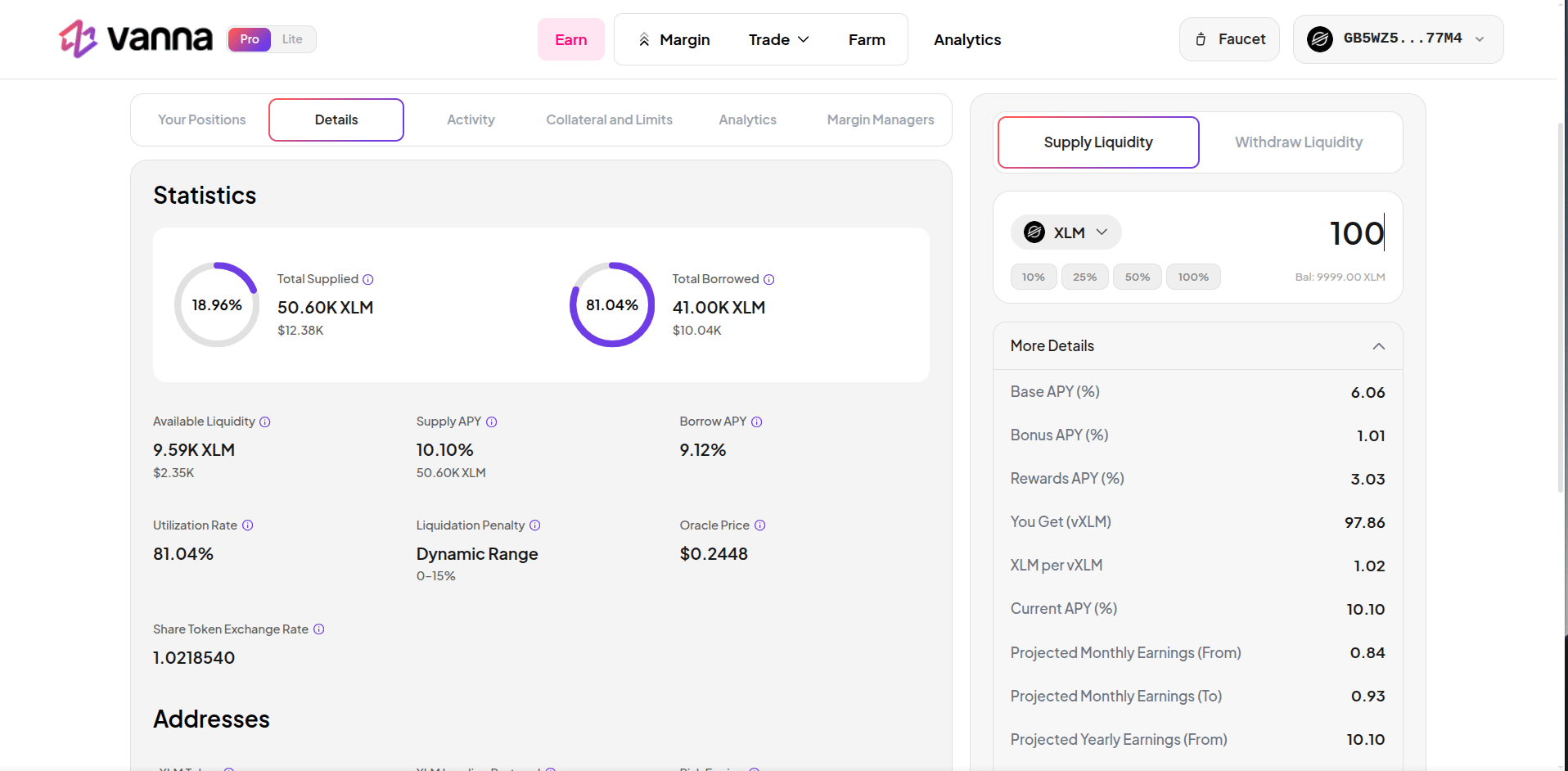
Select Supply Liquidity, enter an amount, and review the pool, asset, and receipt preview.
Earlier supply form. Quoted returns, addresses, and legacy reward labels are not current protocol settings. Click the image to zoom.
3
Confirm and check your receipts
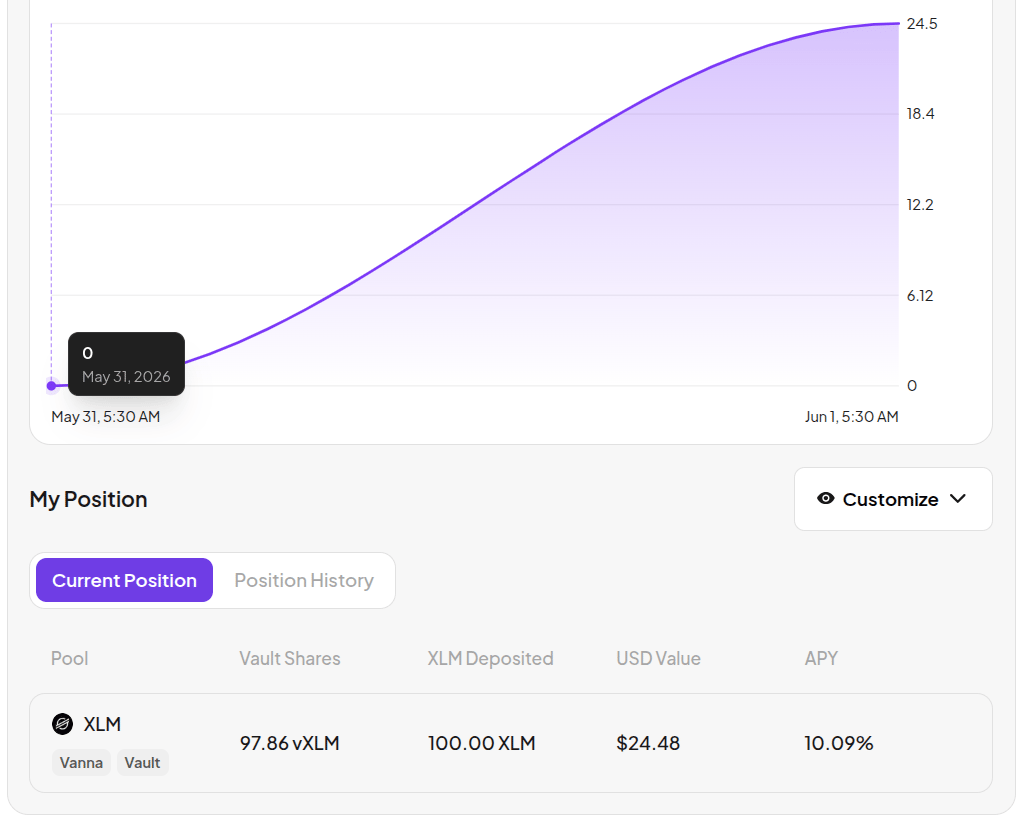
Confirm and sign, wait for the transaction result, then check your vToken balance and position view.
Example receipt position after supply. The pictured balance and APY are illustrative. Click the image to zoom.
The deposited asset moves to the pool. The receipt quantity depends on the pool conversion rate and rounding; it is not always numerically identical to the underlying deposit. Your receipts remain in the wallet and do not automatically become margin collateral.History can lag behind a confirmed transaction. Use its hash and refreshed balances to verify the result. Continue with Withdraw.