

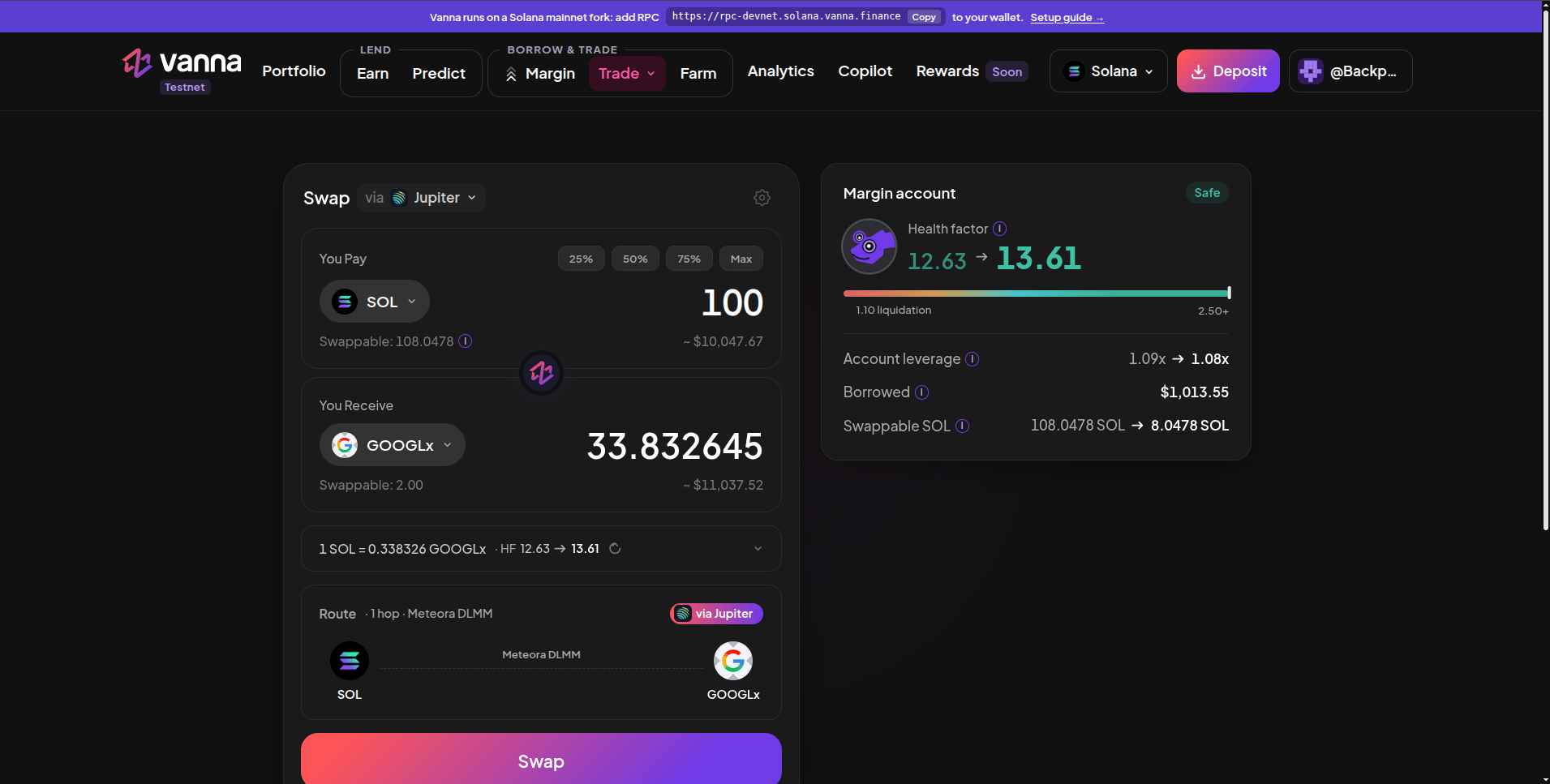
Spot: the swap card (via Jupiter) with its route, and the Margin account block beside it.
1
Pick the aggregator
The card header reads Swap via Jupiter. Open the dropdown to switch to Titan. Jupiter is the default.
2
Choose what you pay
Under You Pay, pick the token and amount, or use 25% / 50% / 75% / Max. Swappable is what your margin account holds of that token.
3
Choose what you receive
Under You Receive, pick the token. The quote fills in the amount you get.
4
Check the details
The rate line shows the price and your health factor before → after. Expand it for Price Impact, Slippage Tolerance and Min. Received. Slippage is Auto (0.5%) by default; change it with the gear icon.
5
Check the route
The Route card shows the hops and pools (for example 1 hop · Meteora DLMM) and a badge for the aggregator that built it.
6
Swap
Click Swap and approve. The swap runs on-chain from your margin account and is health-checked in the same transaction.
Jupiter or Titan
You choose the aggregator; only that one is quoted, and the swap runs through it.
Either way the swap executes from your margin account through Vanna’s program, which only allows the routes and settings its validator approves and checks the account’s health afterwards.
The Margin account block
Beside the swap card: your health factor before → after with its bar, Account leverage before → after, Borrowed, and the Swappable balance of the token you’re paying before → after. Position History below lists your past swaps.Things to know
- Swapping doesn’t change your debt. It changes what your collateral is made of, so your health factor barely moves unless prices move afterwards.
- A swap that would leave the account below the safety floor is blocked before you sign.
- Without a wallet connected, only the swap card is shown.
Next steps
Trade perps
Long or short with leverage on Phoenix.
Farm
Put swapped tokens to work in a vault.