

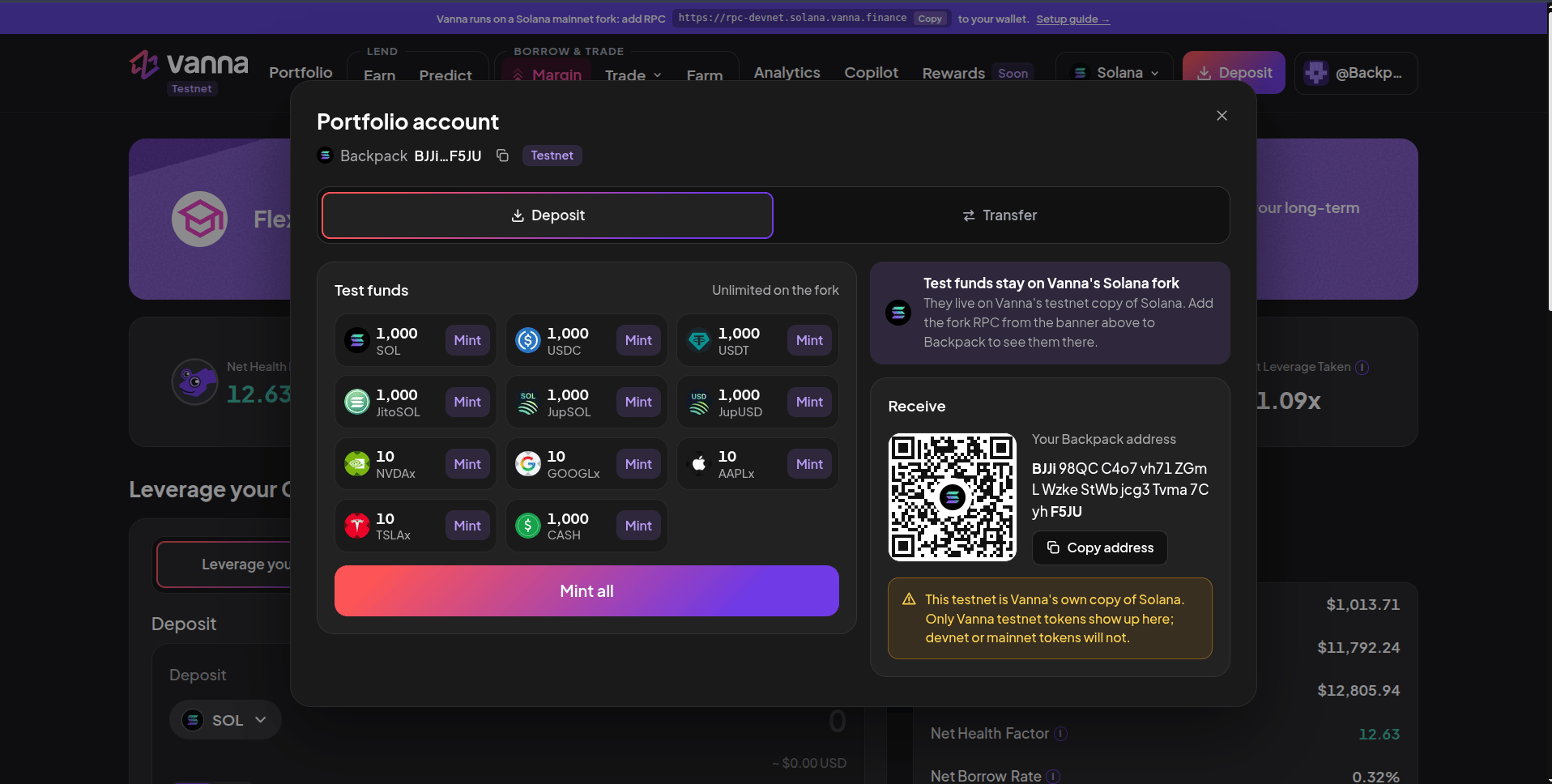
Deposit → Test funds: Mint one token or Mint all. The Receive panel shows your address and a QR code.
1
Sign in
Connect with email, a social login or Backpack.
2
Open Deposit
Click Deposit in the header. The window shows your wallet and the Testnet tag.
3
Mint
Click Mint on a token, or Mint all for every token at once. Each tile shows what was added and your new balance.
Minting is unlimited on the fork: mint again whenever you run low.
How it works
Test funds use Surfpool fork cheatcodes: the server writes the new balance straight into fork state. There is no transaction to sign and no wallet approval. Nothing real moves; these tokens exist only on the fork.The rest of the Deposit window
Next steps
Supply on Earn
Lend your test tokens and earn interest.
Open a margin account
Deposit collateral and borrow.