

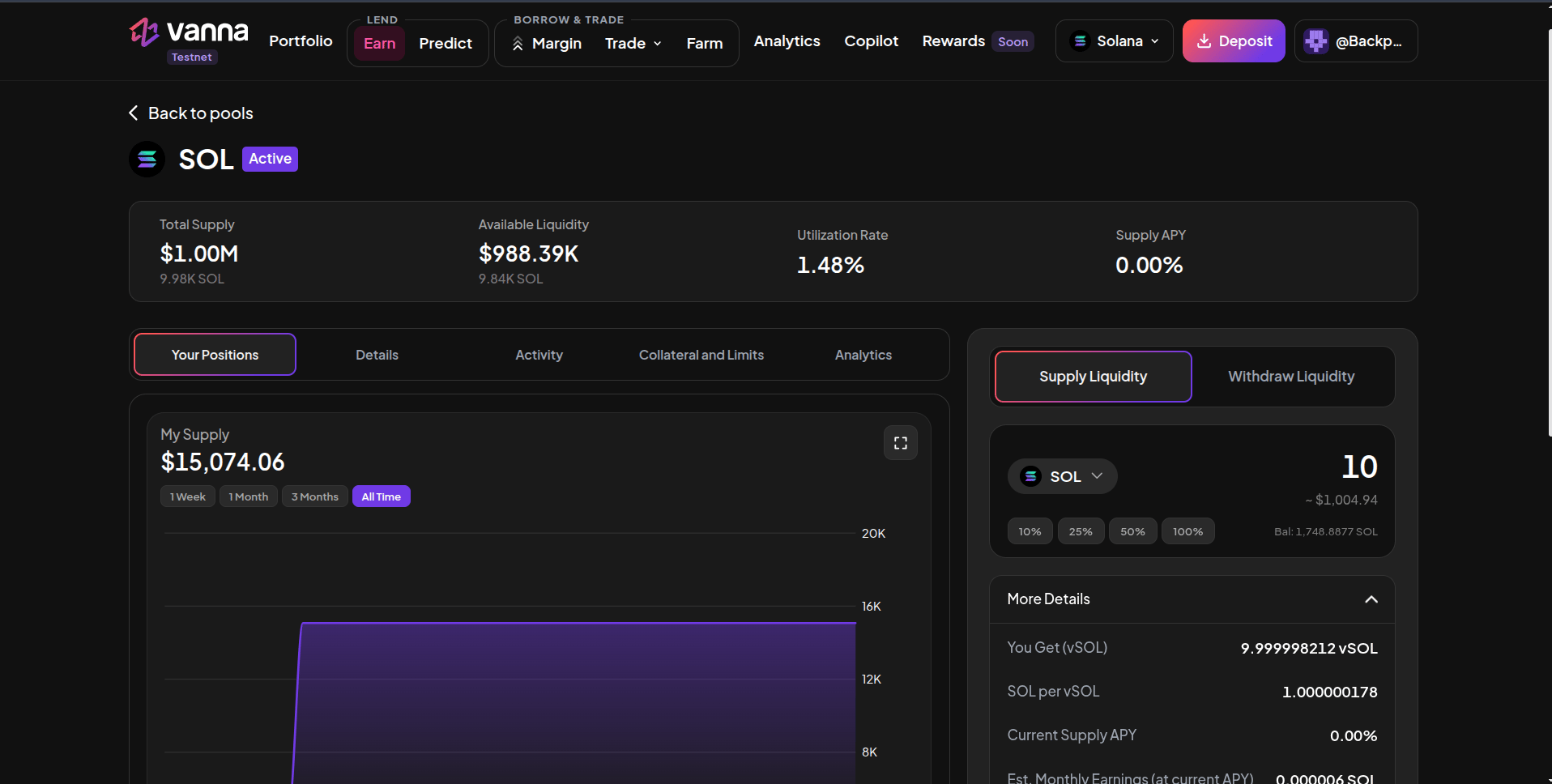
SOL pool page with the Supply Liquidity panel and More Details expanded.
1
Open the pool
On Earn, click the pool you want (SOL, USDC or USDT).
2
Choose Supply Liquidity
In the right-hand panel keep Supply Liquidity selected and check the token.
3
Enter an amount
Type an amount or use 10% / 25% / 50% / 100% of your wallet balance (shown as Bal). For SOL a small amount is kept back for fees.
4
Check More Details
Expand More Details to see what you’ll receive (You Get vSOL), the current exchange rate (SOL per vSOL), the current Supply APY, estimated monthly and yearly earnings at that APY, and the Remaining Supply Cap.
5
Supply and sign
Click Supply Liquidity and approve in your wallet. When the transaction confirms, your vTokens appear and the pool’s Your Supply updates.
Good to know
- Supply APY changes with utilization; the estimate uses today’s rate, not a guarantee.
- You can supply more at any time; every deposit mints vTokens at the current exchange rate.
- Your earnings show on Portfolio → Lender as Interest earned and in the 30-day Lending P&L chart.
Next steps
Withdraw
Take your supply and interest back out.
Track it on Portfolio
Interest earned and your 30-day Lending P&L.