

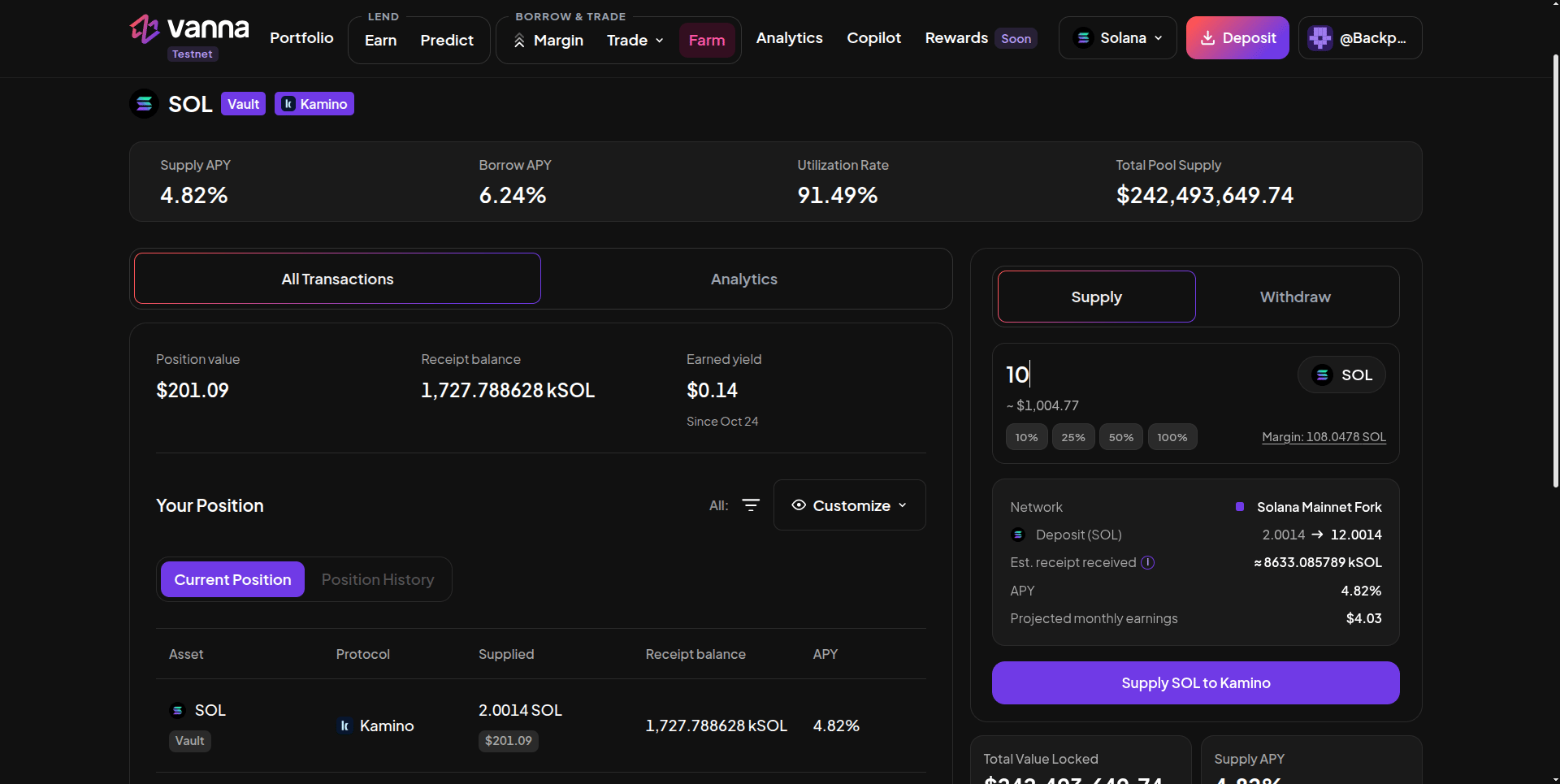
Kamino SOL vault page: Supply APY, Borrow APY, utilization and pool size, your position and the Supply panel.
Supply
1
Open the vault
On Farm → Lending / Single Assets, click SOL, USDC or USDT with the Kamino badge.
2
Enter the amount
In Supply, type an amount or use the % chips. Margin shows what your margin account holds of that token. Need more? Deposit or borrow on Margin first.
3
Read the details
The details box shows the network, your deposit before → after, the Est. receipt received (kSOL…), the APY and projected monthly earnings.
4
Supply
Click Supply SOL to Kamino and approve. The receipt lands in your margin account.
Withdraw
Switch to Withdraw, choose a percentage of your position and confirm. The receipt is redeemed and the underlying token returns to your margin account. Flash repay also redeems every Kamino receipt automatically.The numbers
Leveraged Kamino
Borrow on Margin, then supply here: you earn Kamino’s supply APY on the borrowed amount and pay Vanna’s borrow APY on it. It’s profitable while Kamino’s supply rate is above Vanna’s borrow rate for that asset. Watch both, since both move with utilization.Next steps
Farm positions
Track earnings and exit.
Kamino integration
How Vanna supplies to Kamino under the hood.