

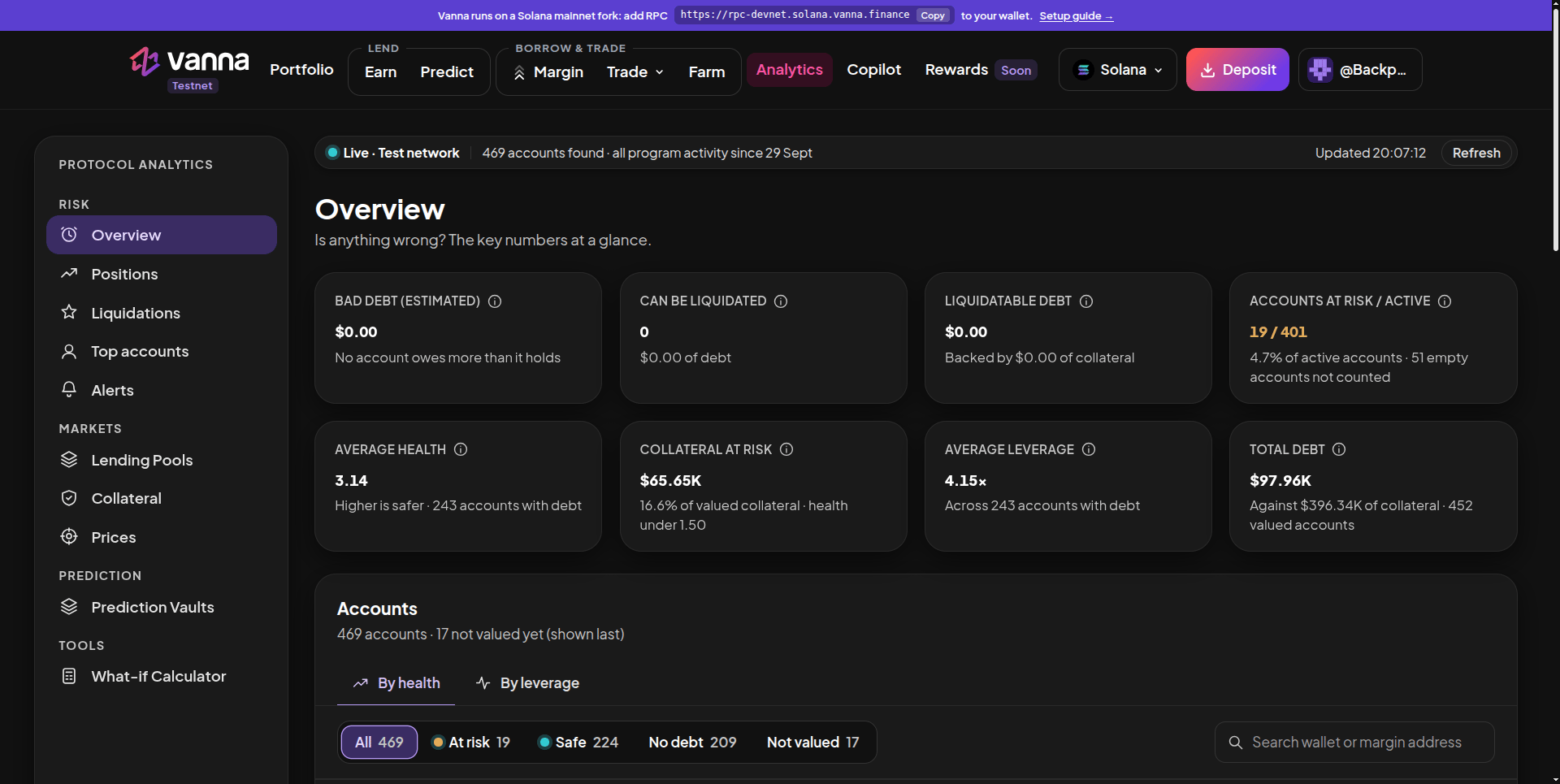
Analytics overview: bad debt, liquidatable accounts, accounts at risk and the accounts table.
Sections
Overview
The cards answer the key questions at a glance:
Below, the Accounts table lists every account By health or By leverage, filterable by Liquidatable, At risk, Safe, No debt and Not valued, with search by wallet or margin address. If you’re connected, your own account is shown first.
Further down, Accounts by health charts debt at each health level (click a bar to filter the table), What collateral is made of splits all collateral into tokens held, Kamino deposits and Phoenix perps, and four cards sum up lending. Test a price drop opens the What-if Calculator.
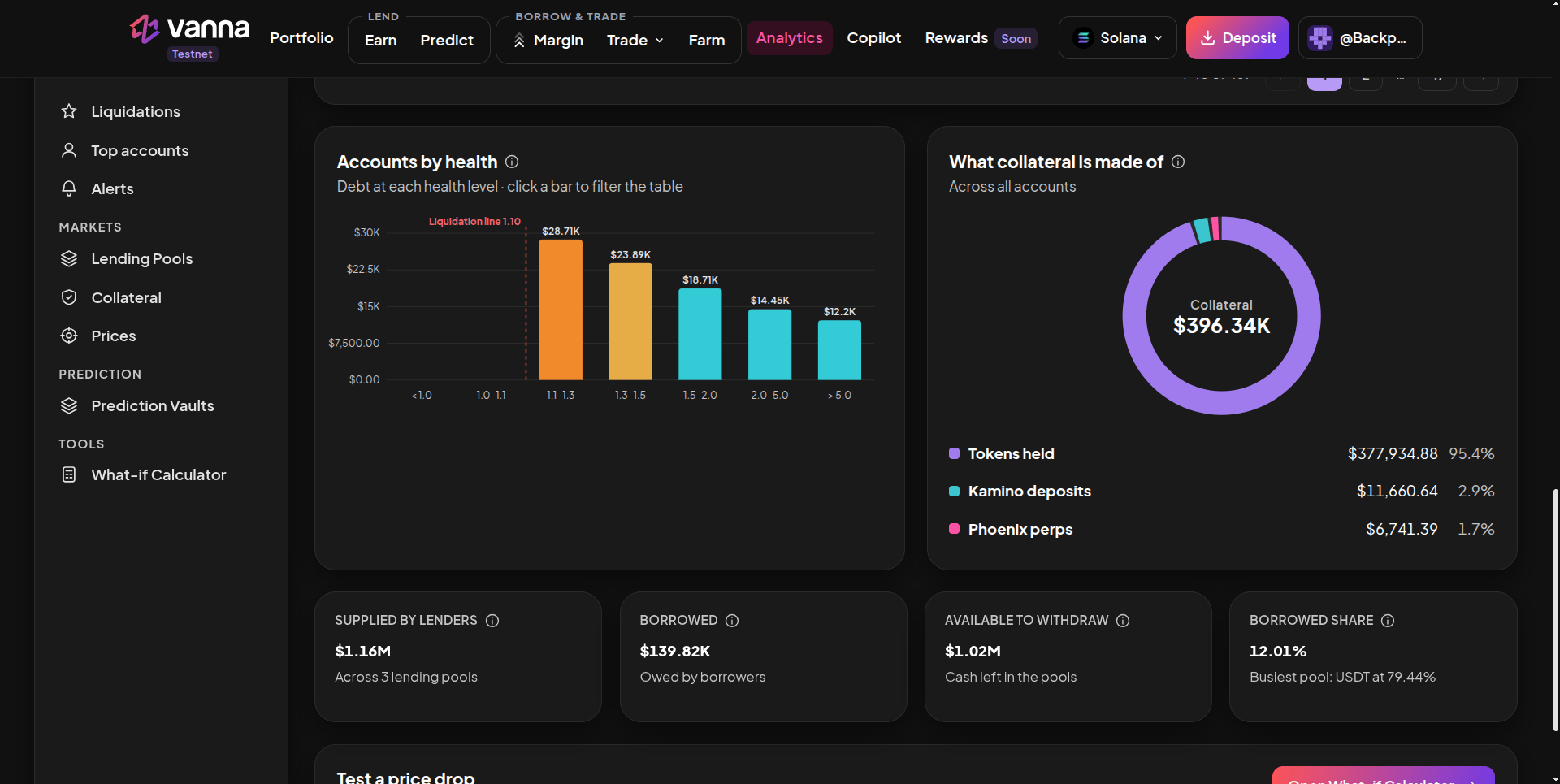
Overview, further down: accounts by health, what collateral is made of, and the lending summary.
Positions
Paste any wallet or margin-account address into Look up a wallet and press Look up to open that account’s own page (read-only). Below it:- Accounts by health: how many accounts sit at each health level.
- Debt by leverage: how leveraged the borrowing accounts are.
- Collateral by asset and Debt by asset: what accounts hold and what they owe, per token.
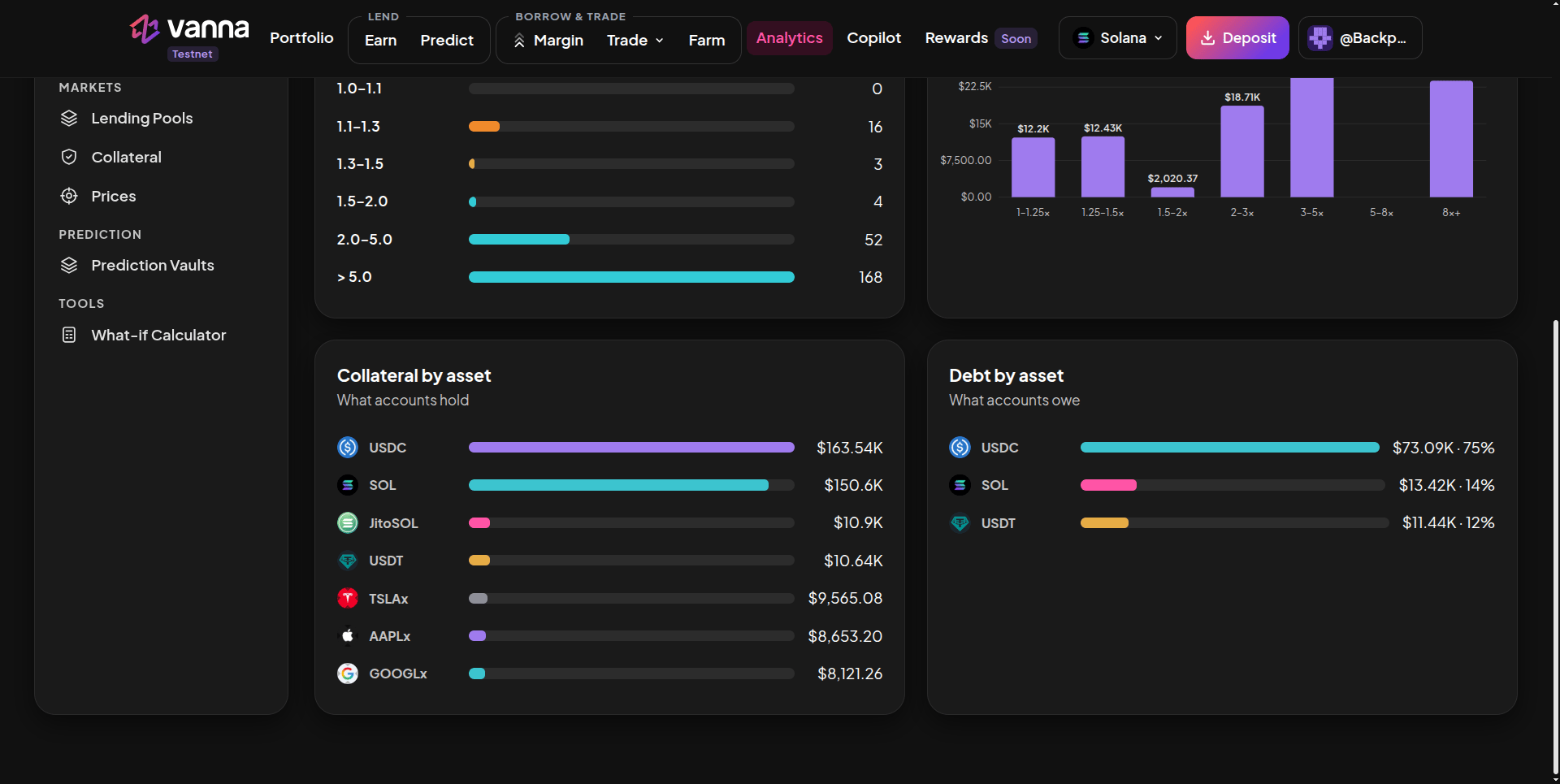
Positions: accounts by health, debt by leverage, and collateral and debt by asset.
Lending Pools
The table lists each pool’s supplied, borrowed and available amounts, utilization, borrow and supply APR and status. Select a pool to inspect it: a utilization gauge and How the borrow rate changes, the pool’s rate curve with a marker at today’s utilization.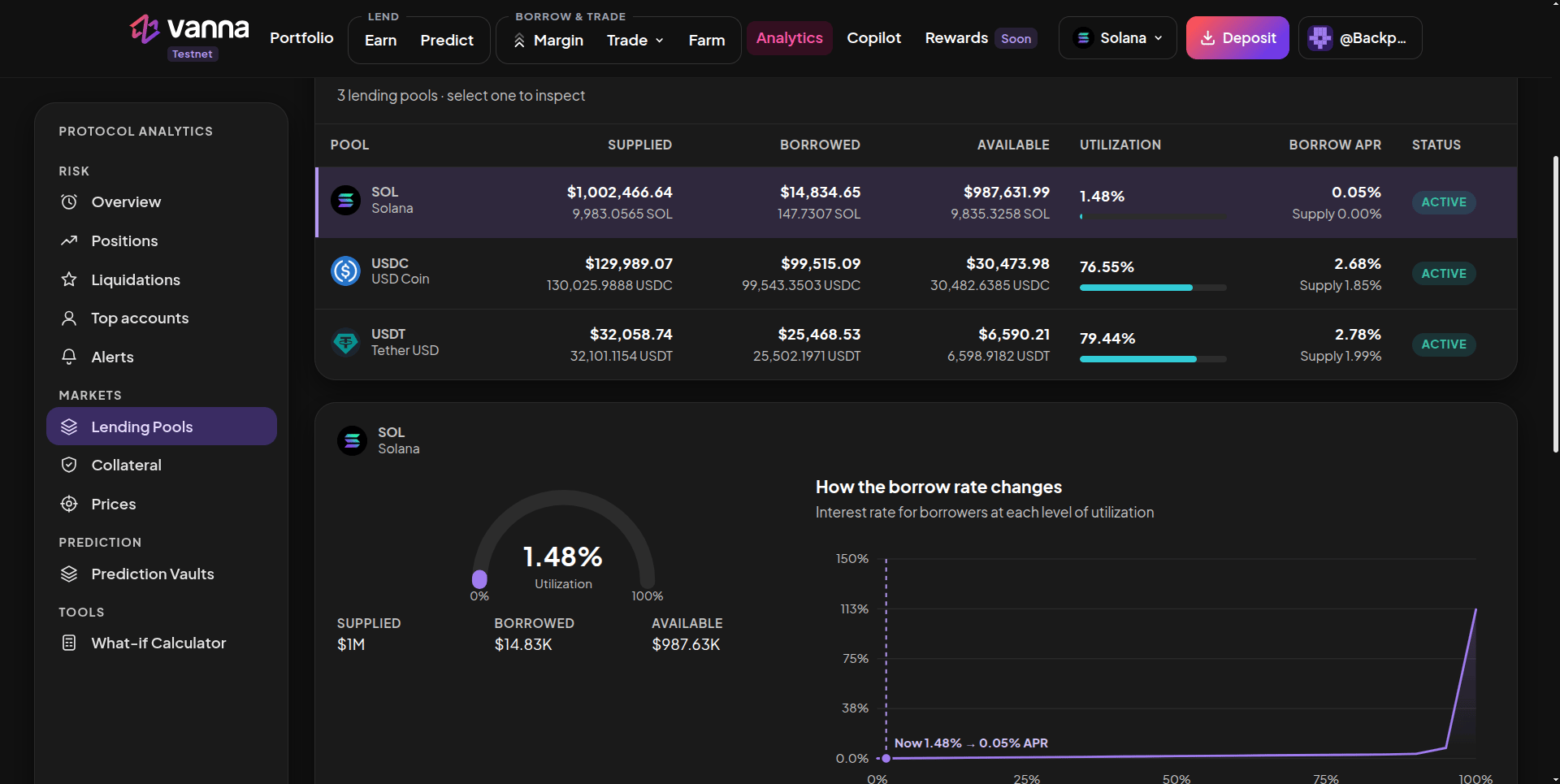
Lending Pools: each pool's numbers, and the selected pool's utilization and borrow-rate curve.
Prediction Vaults
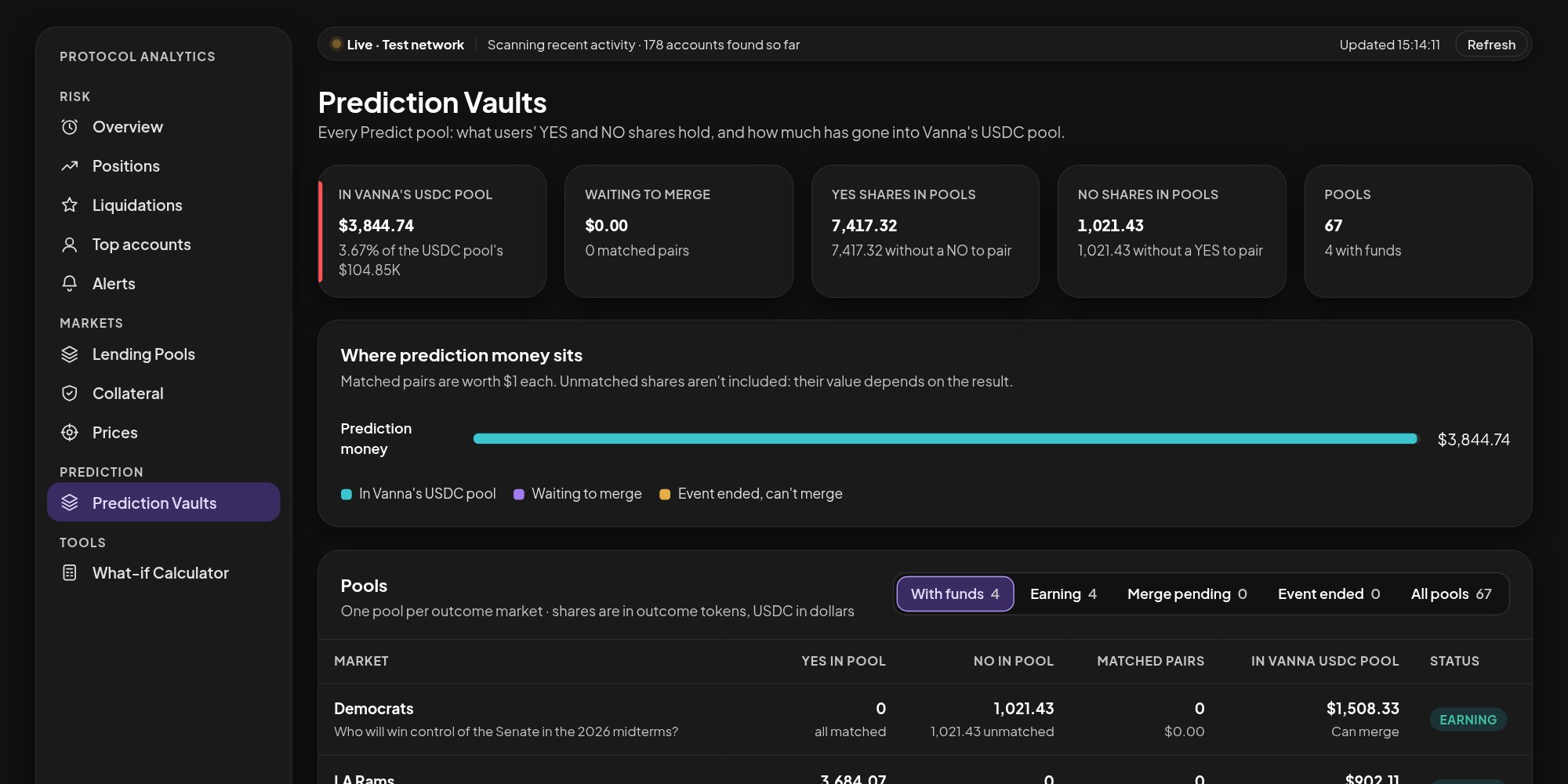
Prediction Vaults: how much Predict money is in Vanna's USDC pool, what is waiting, and one row per pool.
The Pools table lists each market with YES and NO in its pool, matched pairs, USDC in Vanna’s pool and a status:
Use the filters (With funds, Earning, Merge pending, Event ended, All pools) to narrow the table, and click a market to open it on Predict.
Next steps
Health factor
What the health numbers mean for your own account.
Earn while you wait
How Predict pools feed Vanna’s USDC pool.