

Vanna runs on a Solana mainnet fork (Surfpool), not public Devnet or Mainnet. Balances are test balances on the fork. If you use Backpack, add the fork RPC
https://rpc-devnet.solana.vanna.finance to it (how). Then mint test funds from Deposit → Test funds (Faucet) before any Earn, Margin, Trade, Farm or Predict action.Four steps to start
1
Enter the access code
The test app is private. On your first visit it asks for an access code; enter the one the Vanna team gave you. Your browser remembers it for about 30 days.
2
Sign in
Click Connect wallet at the top right. Sign in with email (a one-time code), Google, X or GitHub, or connect Backpack. See Connect Your Wallet.
3
Backpack only: add the fork RPC
If you use Backpack, add the custom RPC
https://rpc-devnet.solana.vanna.finance so it shows fork balances and previews transactions correctly. The purple strip at the top of the app has a Copy button and a Setup guide link. Email and social logins don’t need this.4
Mint test funds
Click Deposit in the header, then Mint all under Test funds: 1,000 of each token (10 of each xStock) plus 1,000 CASH for Predict, with no wallet approval. See Faucet.
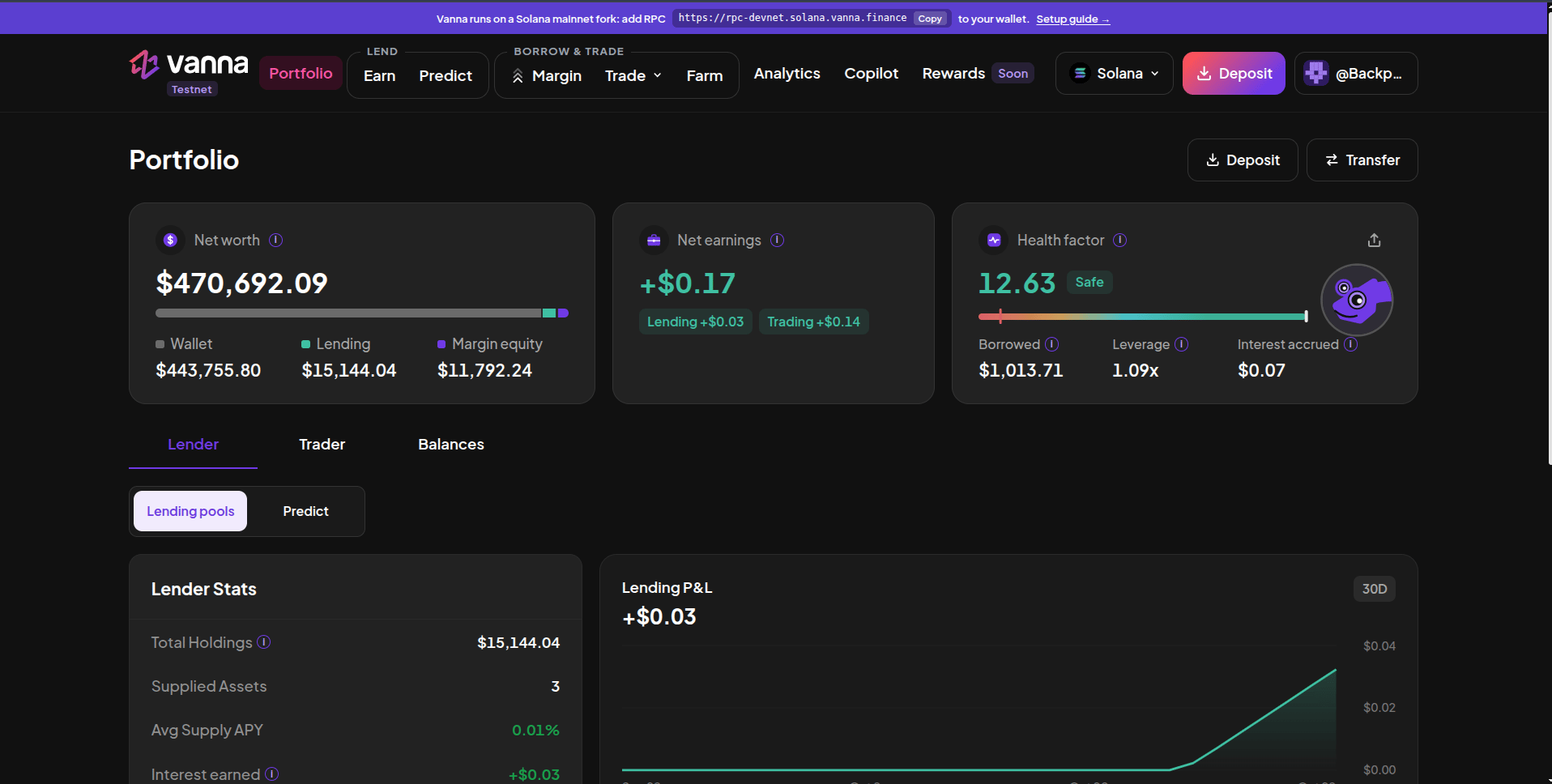
Portfolio after signing in and minting test funds: net worth, net earnings and health factor at the top.
The app at a glance
The header groups the pages the way money flows. On Solana, the app opens on Margin.
On the right of the header: the chain switcher (Solana / Stellar), the Deposit button (test funds, receive address and wallet ↔ margin transfers) and your account menu. Outside the app, Vanna MCP lets Claude, Cursor or any MCP-compatible assistant use Vanna for you.
Supported assets
Vault receipts you receive from Farm (kSOL, kUSDC, USD*, vbSOL…) stay in your margin account and count as collateral too.
Next steps
Connect your wallet
Sign-in options and the Backpack RPC setup.
Get test funds
Mint every supported token on the fork.
Supply on Earn
Lend SOL, USDC or USDT and earn interest.
Open a margin account
Deposit collateral and borrow against it.