

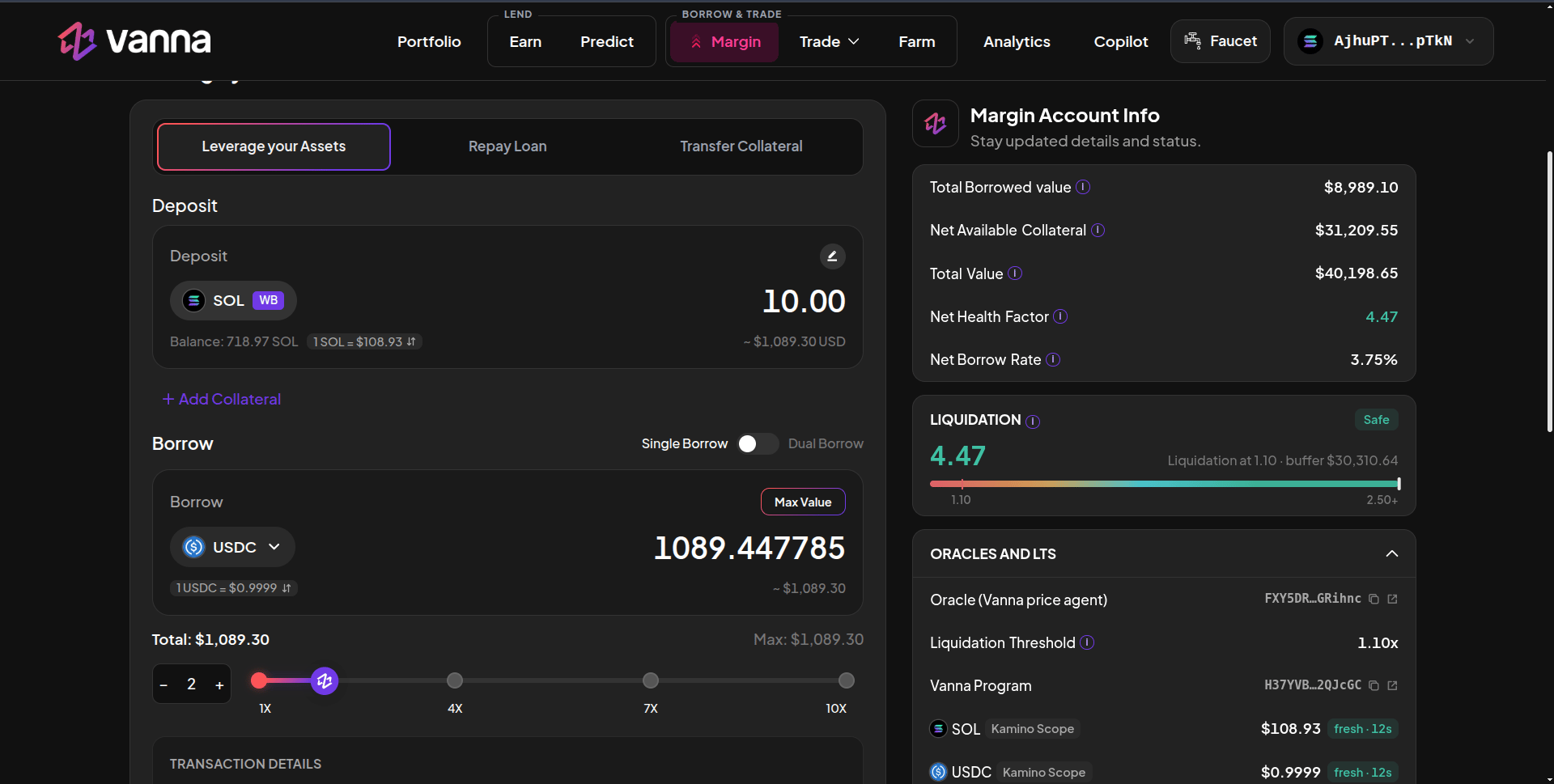
Deposit 10 SOL and borrow USDC at 2×: Max Value, the leverage slider and the total.
1
Set up the deposit
Choose collateral under Deposit. WB deposits from your wallet; MB borrows against collateral already in your margin account.
2
Choose Single or Dual Borrow
Single Borrow borrows one asset. Dual Borrow splits the loan 50/50 across two assets, sized from the leverage slider.
3
Pick the asset
Choose SOL, USDC or USDT under Borrow.
4
Set the size
Drag the leverage slider (1× to 10×), use −/+, type an amount, or click Max Value. Total and Max show the loan in USD.
5
Review and sign
Check Transaction Details: the account’s health factor, leverage and collateral before → after. Click Deposit & Borrow and approve.
Where the loan goes
Borrowed tokens land in your margin account, not your wallet. From there you can swap, trade perps or farm. To take them to your wallet, use Transfer Collateral (Margin account → Portfolio account); that withdrawal is health-checked.Limits
- The program rejects any borrow that would leave the account at a health factor of 1.10 or below.
- The app’s Max keeps a 1.15 safety floor so a small price move right after borrowing doesn’t put you at the line.
- You can’t borrow more than the pool has available (see the pool’s Available Liquidity on Earn).
Interest
Debt grows at the pool’s Borrow APY, which rises with the pool’s utilization. Net Borrow Rate on the Margin page is your account’s blended rate; accrued interest shows in the Positions table and on Portfolio.Next steps
Swap
Turn the loan into another token.
Trade perps
Long or short on Phoenix.
Repay
Pay back part or all of a loan.