

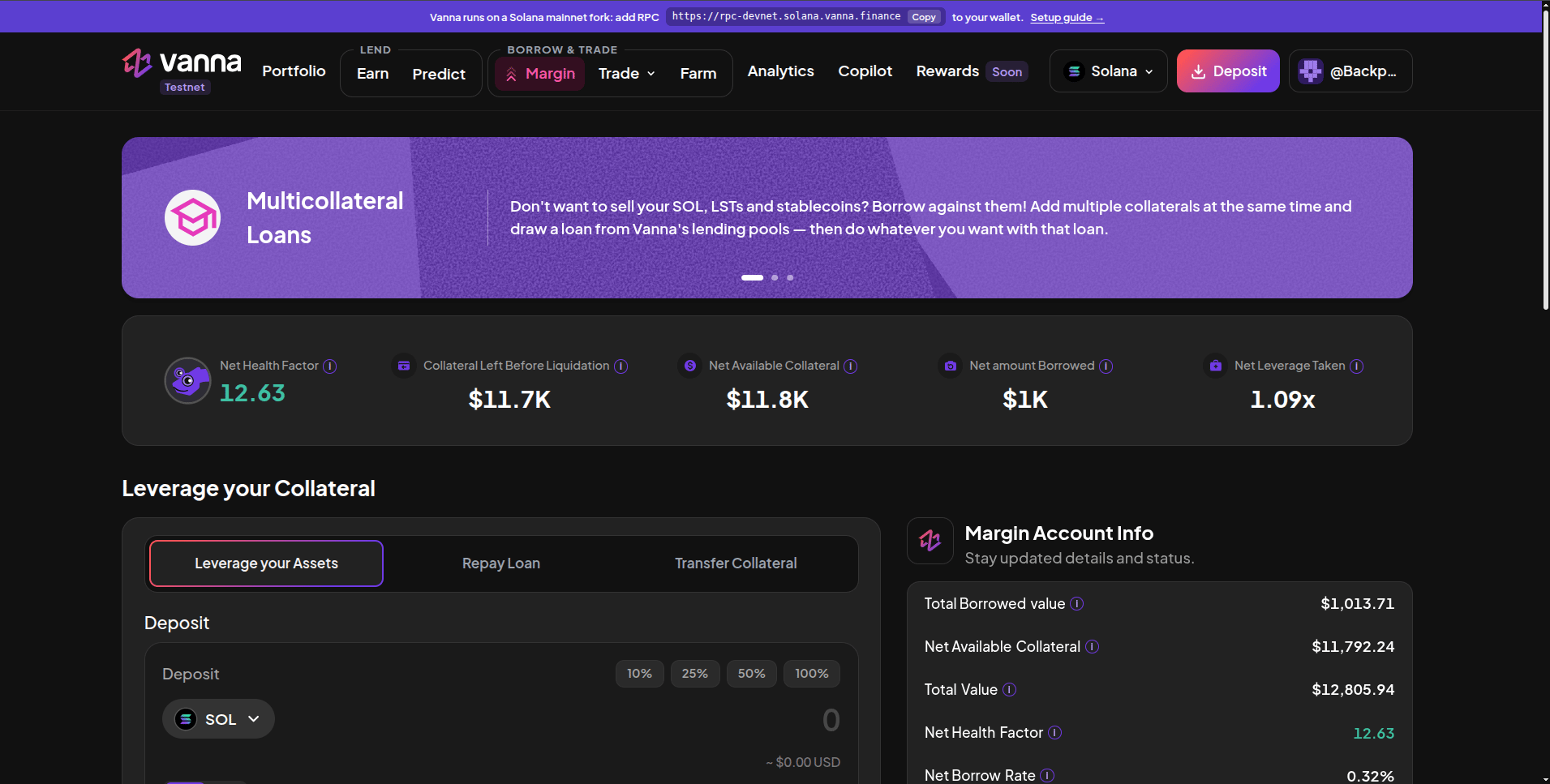
Margin: account stats on top, the action panel on the left and Margin Account Info on the right.
Account stats
The three tabs
Margin Account Info
The right column shows Total Borrowed value, Net Available Collateral, Total Value, Net Health Factor and Net Borrow Rate, then:- Liquidation: your health factor on a bar, the 1.10 liquidation line and the dollar buffer left before it.
- Oracles and LTs: the oracle program, the 1.10× liquidation threshold, the Vanna program address, and every token’s live price with its source (Kamino Scope or Pyth) and freshness.
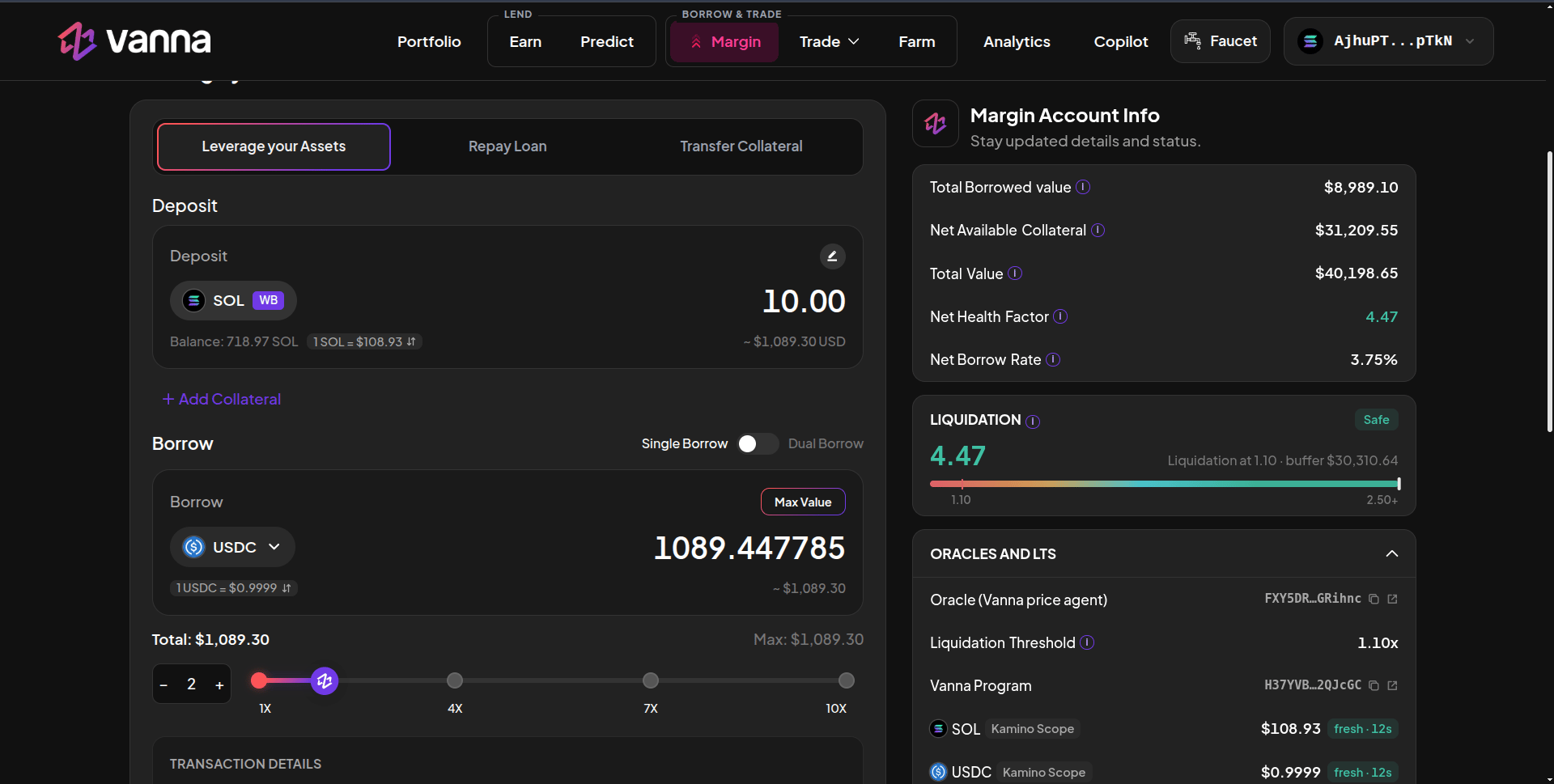
Borrowing with the leverage slider, and the Liquidation and Oracles panels.
Positions
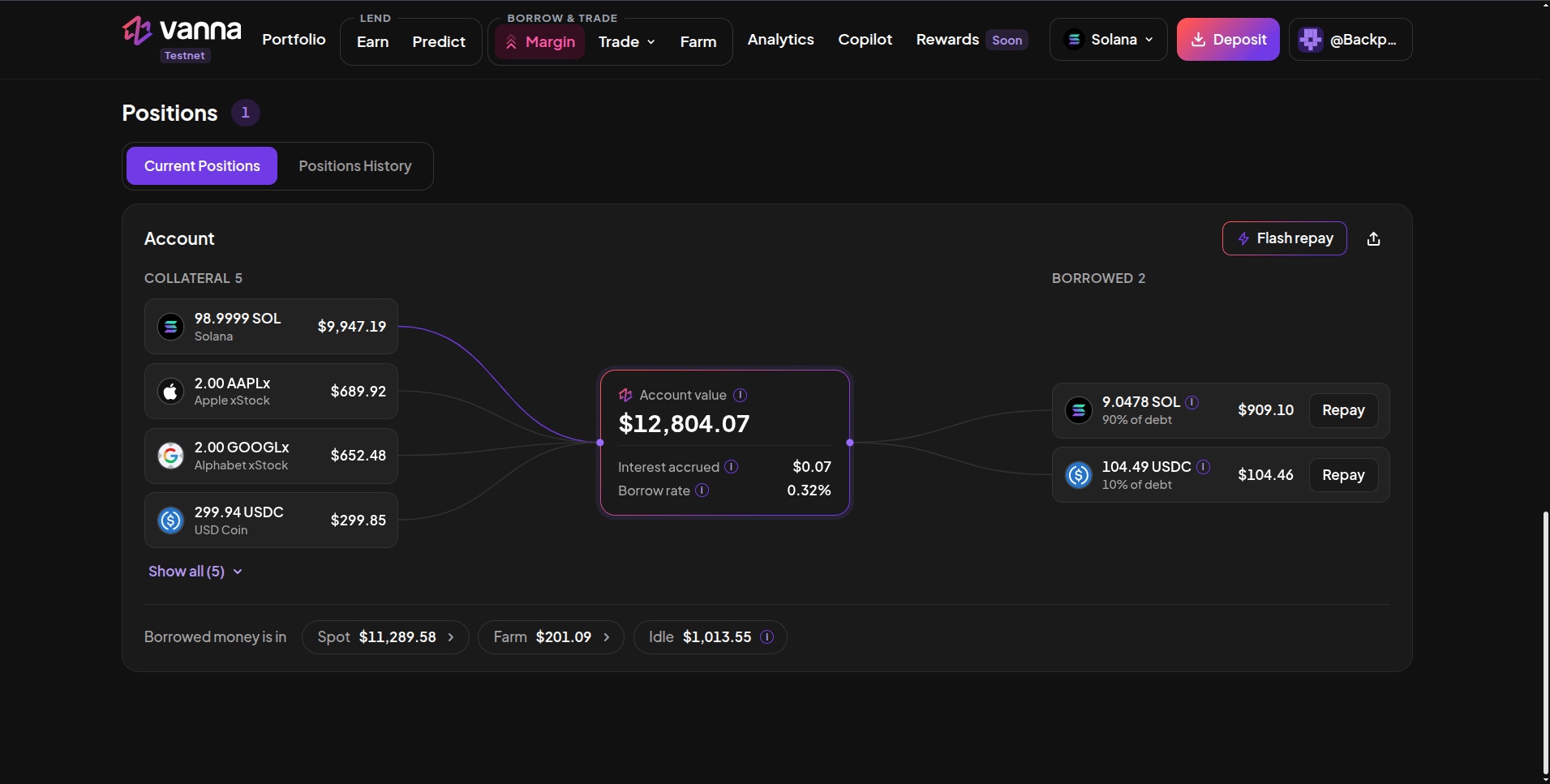
Current Positions: collateral on the left, the account value in the middle, each loan on the right, and where the borrowed money is.
- Collateral on the left: every token the account holds, including Farm receipts such as kSOL, kUSDC, USD* and vbSOL. Show all expands a long list.
- Account value in the middle, with Interest accrued and the Borrow rate.
- Borrowed on the right: each loan with its share of total debt and a Repay button.
- Borrowed money is in: chips showing how much of the loan sits in Spot, Perps or Farm positions and how much is Idle in the account. Click a chip to jump to that page.
- Flash repay unwinds the account; the share button makes a shareable card.
Next steps
Open a margin account
One signature, once per wallet.
Deposit collateral
SOL, USDC, LSTs, JupUSD or xStocks.
Borrow
Up to 10× with the leverage slider.
Health factor
The one number that keeps you safe.