

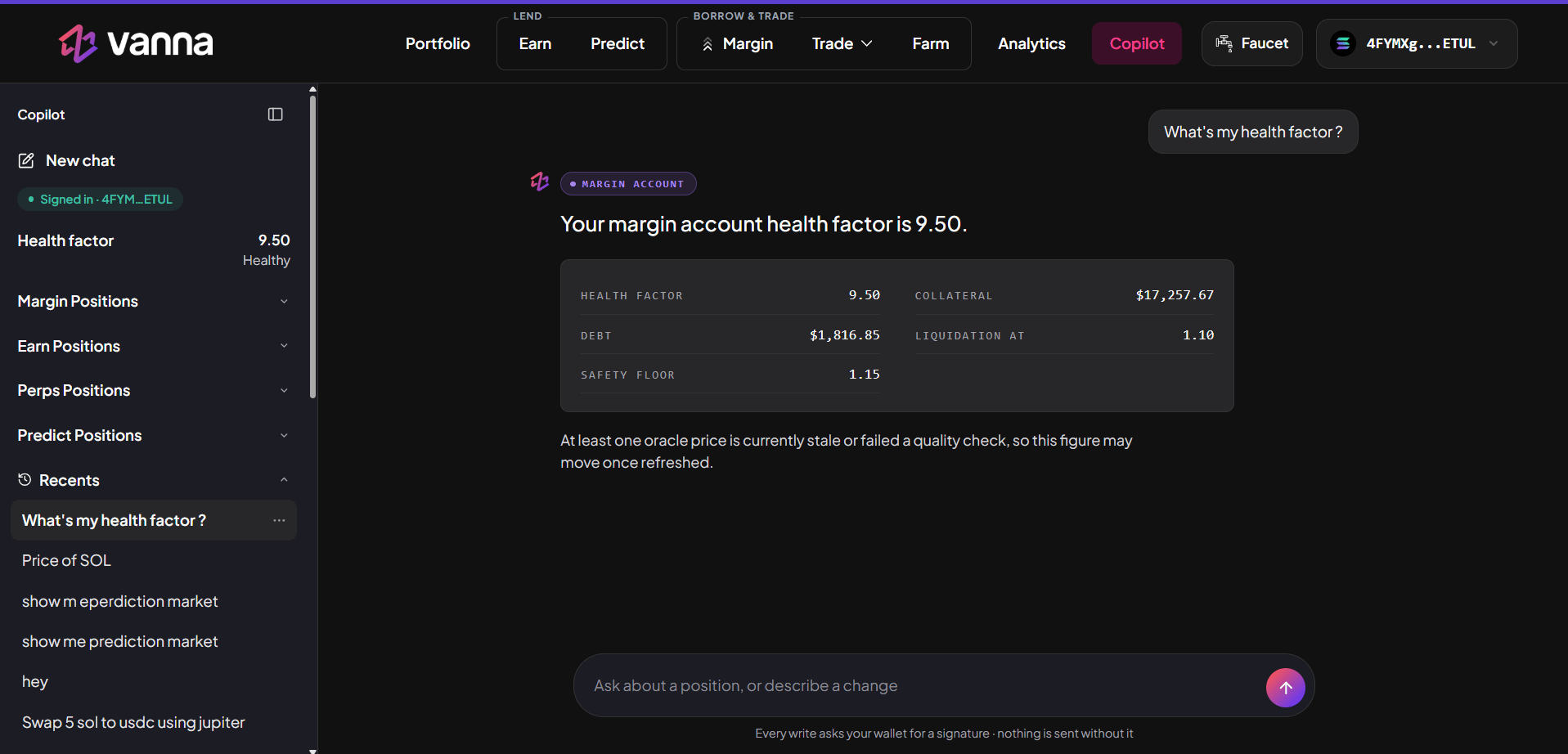
Copilot answering a health-factor question, with the sidebar on the left.
Getting Started
1
Open Copilot
Click Copilot in the header with your wallet connected. If your wallet is still reconnecting, the page waits a moment instead of asking you to connect again.
2
Sign in
Sign a short login message in your wallet. This is not a transaction and costs no fee. It proves you own this wallet, so the Copilot only ever reads and acts for your own account.
3
Ask
Type in the box at the bottom (Ask about a position, or describe a change) and press Enter.
The Sidebar
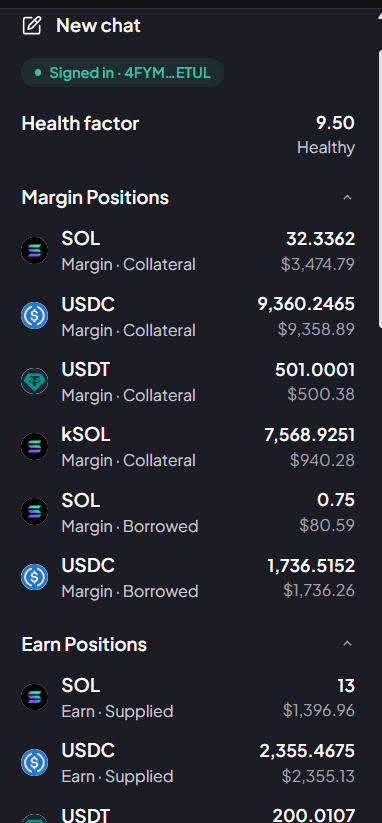
The sidebar with Margin Positions and Earn Positions open.
Position lists start closed: click a heading to open one. Each row shows the same logo as the rest of the app (tokens, vault shares, perps markets, and team or event art for Predict).
What It Can Do
You can chain several actions in one message, up to 8 transactions (“Deposit 100 USDC, borrow 50 USDT, then show my health factor”). Amounts can be exact (“5 SOL”), in dollars (“$200 of SOL”), a share (“half”, “25%”), everything (“all”), or as much as is safe (“max”).
How It Works With the App
The Copilot is not a separate product with its own numbers. It works through the same pieces the app uses:
Every transaction is built and simulated by the Vanna MCP, the same engine that lets other AI apps use Vanna. Under the chat box the app reminds you: every write asks your wallet for a signature; nothing is sent without it.
Approving a Plan
When you ask for a change, the Copilot shows a card before anything happens.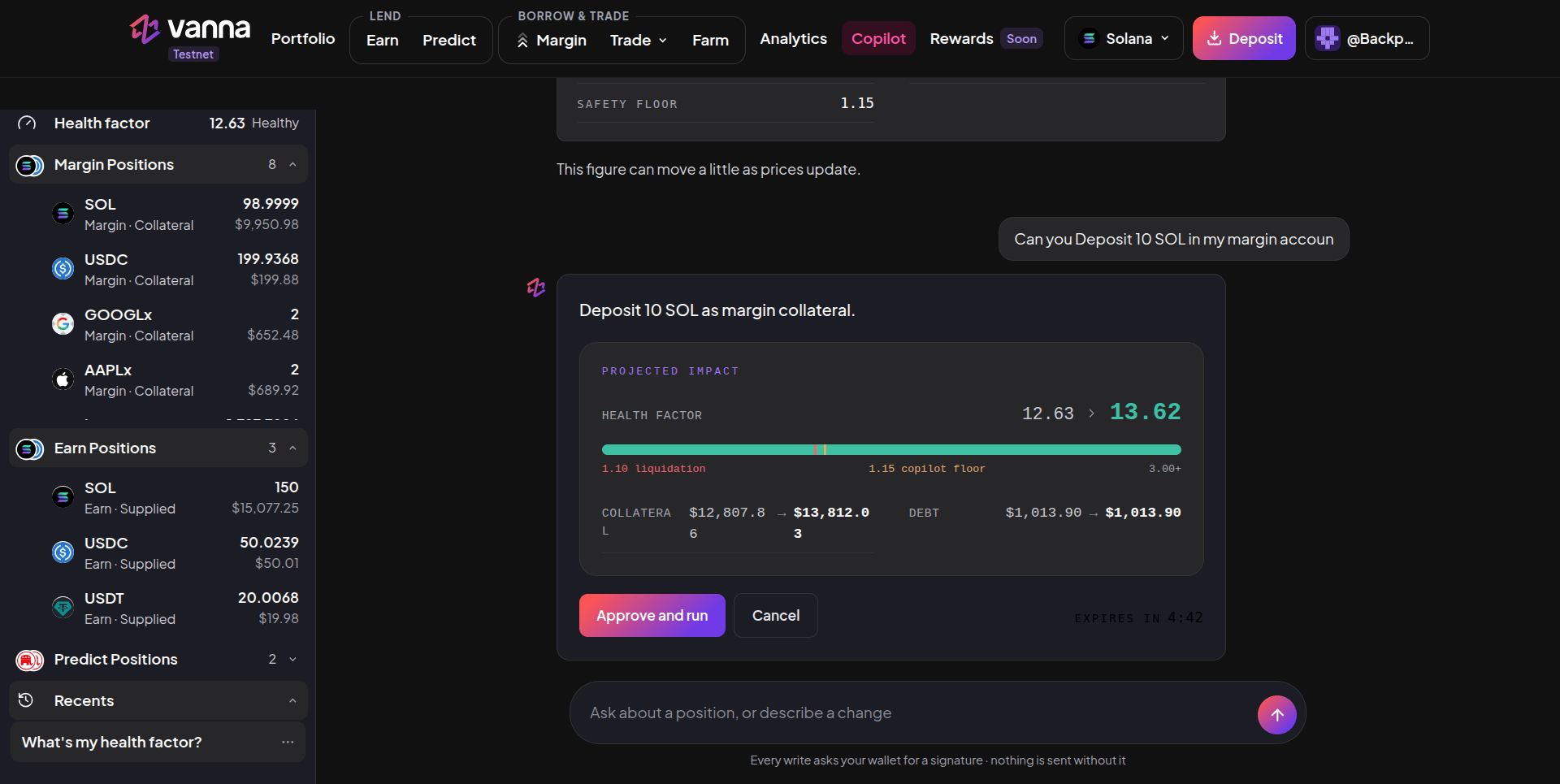
A single action: Projected Impact shows your health factor, collateral and debt before → after, with Approve and run, Cancel and the countdown.
- Review. A single action shows its Projected Impact: your health factor on a bar with the 1.10 liquidation line and the 1.15 Copilot floor, plus collateral and debt before → after. A multi-step plan lists each step with its exact amount, how many wallet signatures it needs, any warnings, and your health factor after the plan.
- Approve within 5 minutes. Click Approve and run (Approve & run on a multi-step plan). A countdown from 4:59 shows how long it’s valid. After that it expires, and you ask again so it uses fresh prices.
- Sign each step. For each step the Copilot checks live data again, builds the transaction, and your wallet asks you to sign it. A step that only shows you something (like your health factor) needs no signature. A Predict trade with several transactions is signed in one wallet approval.
- Done. A step shows as confirmed only when the chain has confirmed it.
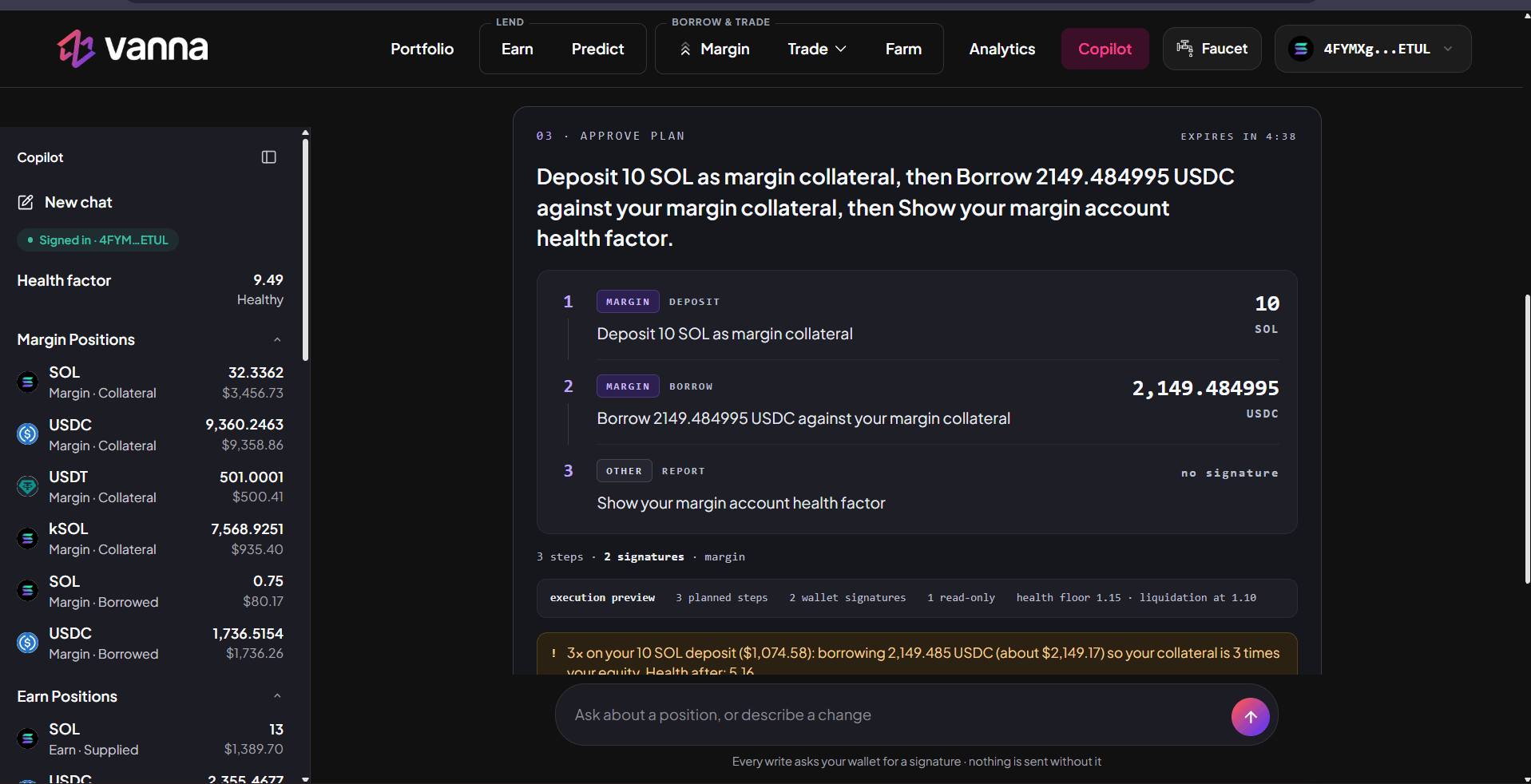
A three-step plan waiting for approval: deposit, a borrow sized to 3x, and a health-factor report, with the countdown at the top right.
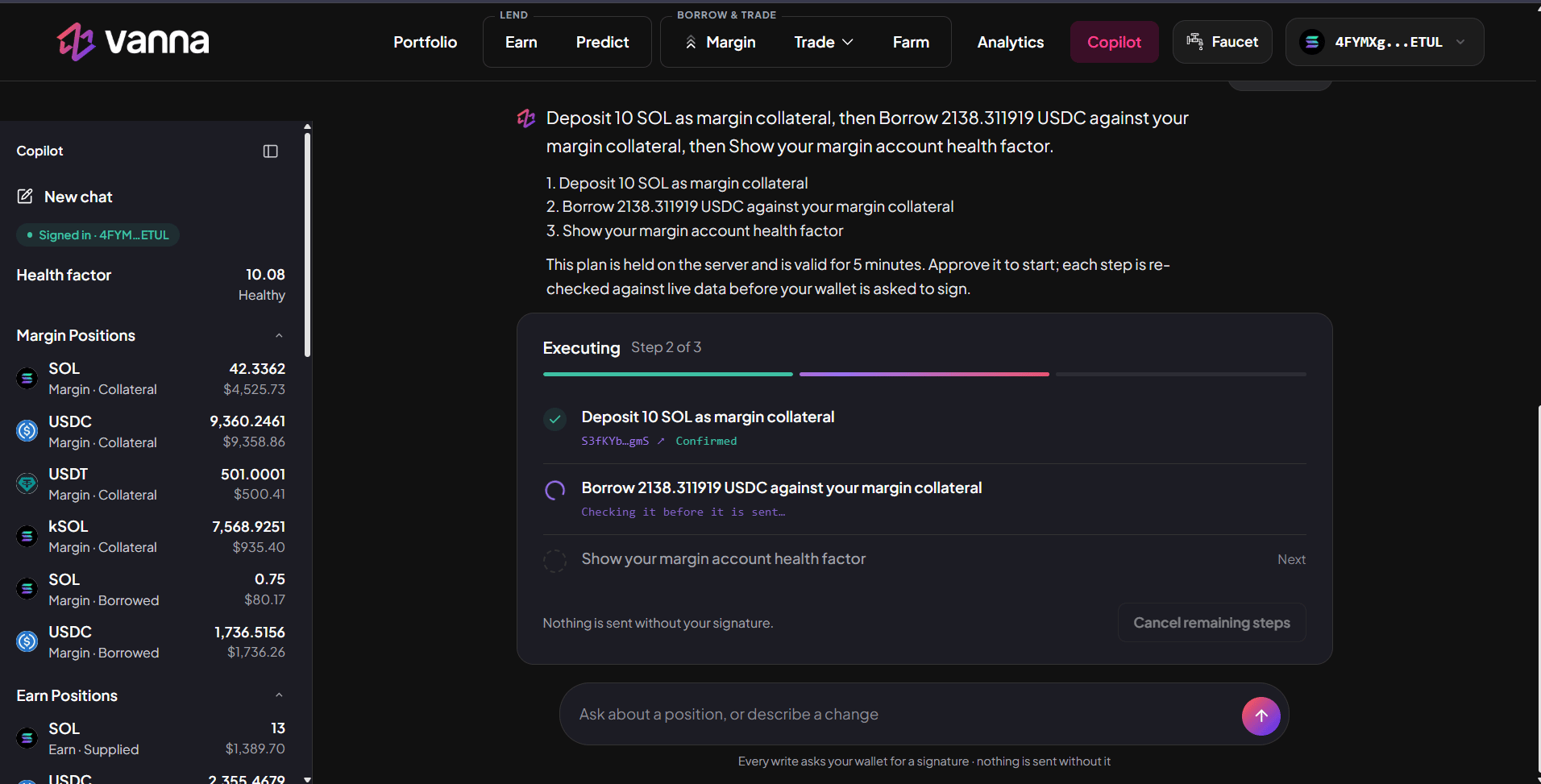
The same plan running: the deposit is confirmed and the borrow is being checked before it is sent.
Safety
- Nothing moves without your signature. The Copilot never holds a key and never signs. If you don’t sign, nothing happens.
- The AI never picks a number. It understands what you want; the app computes every amount from live on-chain data and checks it before you see it.
- Same limits as the app. Actions that can lower your health keep it at 1.15 or above; liquidation is at 1.10. Adding collateral and repaying are always allowed.
- Your account only. It can’t read for or act on another wallet, send funds to an address, run arbitrary programs, change protocol settings or liquidate anyone.
- Only what’s on Vanna. Tokens outside the app, options, spot shorts and multi-asset LP positions are refused (shorts are available as Phoenix perps).
- No orders for later. It can’t watch prices or act later (stop-loss, limit, DCA, “when SOL hits 200”). It tells you which part it won’t do and does the rest now.
- No predictions. On Predict it shows the market’s prices; it never tells you which outcome will win.
The Copilot can misread a request. Always check the plan card (asset, amount, direction and health factor after) before you approve and sign.
Next steps
Vanna MCP
Use the same capabilities from Claude, Cursor or any MCP client.
Health factor
The floor every Copilot plan respects.